 PH
PremiumCourses
Eternal Poster
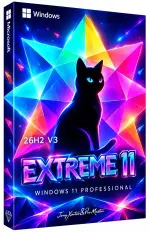
Free Download Windows 11 Pro 26H2 Build 26300.9278 x64 | Extreme 11 v3 Edition (Preview) | Windows x64 | No TPM | Languages: English | File Size: 6.88 GB
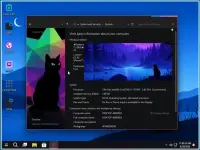
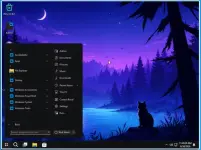
Windows 11 Pro Extreme 11 v3 Edition is a customized Windows release built around the Windows 11 26H2 Release Preview platform. Designed for everyday computing, gaming, and general desktop use, this edition combines a modified Windows installation with performance-oriented service configurations and extensive component removal.
The V3 release focuses on reducing unnecessary background components while retaining a streamlined Windows environment. Unlike some heavily modified editions, this build is reported to support public release updates, although its preview status should be considered before using it as a primary operating system.
Software Overview
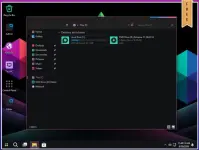
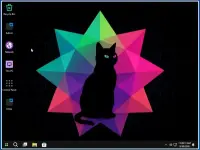
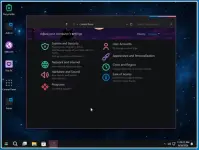
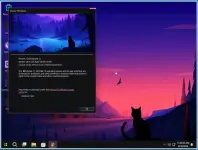
Extreme 11 v3 is based on Windows 11 Pro 26H2 Build 26300.9278 for 64-bit systems. It is configured for installation without the standard TPM requirement and includes service adjustments intended to improve system responsiveness.
The customization removes numerous built-in applications, multimedia components, networking features, legacy utilities, and optional Windows services. The removal list also includes Microsoft Defender Antivirus, Microsoft Edge, Microsoft Store Experience Host, System Restore, and several remote-access components.
This is a modified preview release rather than an untouched Microsoft Windows installation. Some standard Windows functions may therefore be unavailable or behave differently from the original operating system.
Key Features
- Windows 11 26H2 Preview: Based on the Release Preview build 26300.9278.
- Performance Tweaks: Windows services are adjusted with a focus on performance and responsiveness.
- Everyday Computing: Designed for general desktop tasks and daily use.
- Gaming-Oriented Configuration: Includes system modifications intended to provide a streamlined environment for gaming.
- No TPM Requirement: Configured for installation without the usual TPM requirement.
- Public Release Updates: The release information states that public release updates work with this build.
- Reduced Windows Components: Removes many bundled applications, optional features, and background services.
- 64-Bit Platform: Built for x64 systems.
- English Interface: Supplied in English.
Extreme 11 v3 removes a broad range of Windows applications, services, and optional components. Major removals include:
- Built-in Applications: Feedback Hub, Get Help, Microsoft News, Microsoft Photos, Microsoft Sticky Notes, Microsoft To Do, MSN Weather, Paint, Phone Link, Power Automate, Quick Assist, Solitaire & Casual Games, Xbox App, and other bundled applications.
- Microsoft Components: Microsoft 365 Copilot, Microsoft Bing, Microsoft Edge, Microsoft Family Safety, Microsoft Store Experience Host, and Microsoft Defender Antivirus.
- Gaming and Multimedia: Game Bar, Game Speech Window, Windows Camera, Windows Media Player, Windows Media Codecs, Web Media Extensions, WebP Image Extensions, VP9 Video Extensions, SoundWire, and selected media components.
- Windows Interface: Windows Shell Experience, Windows Web Experience Pack, Windows Personalization Themes, default wallpapers, lock screen components, and selected interface features.
- Remote Access and Networking: Remote Assistance, Remote Desktop Client (32-bit), Remote Desktop Services components, Routing and Remote Access Service, VPN support, Network Projection, Internet Authentication Service, and selected networking features.
- Printing and File Services: Internet Printing Client, Print to PDF, File Server Resource Manager, Work Folders Client, and Remote Differential Compression.
- System Administration: PowerShell ISE (32-bit), Sysmon, Windows System Assessment Tool, Windows TIFF IFilter, Kernel Debugging, and selected management components.
- Recovery and Maintenance: System Restore, Manifest Backup, Manual Feature Repository, and Support Directory.
- Accessibility and Input: Narrator, Eye Control, Ease of Access Themes, Input Method Editor, Text Prediction, and selected accessibility components.
- Other Windows Features: Windows Subsystem for Linux, Windows To Go, Internet Information Services, Internet Explorer (32-bit), Microsoft Message Queue, MultiPoint Connector, Sensors, Auto-Rotation Manager, and Device Lockdown.
- Additional Components: .NET assembly cache, Application Virtualization, BranchCache Client, Captive Portal Flow, Content Delivery Manager, Data Center Bridging, and various legacy services.
Extreme 11 v3 is intended for users who want a customized Windows environment with fewer preinstalled applications and optional system components. Its performance-focused service adjustments and reduced software collection offer an alternative to the standard Windows 11 Pro installation.
The stated support for public release updates is an important distinction for users who want to keep the system updated. However, the operating system remains a preview-based modified build, and removed components may affect compatibility with applications, devices, and Windows features.
Important Notes
- This release is based on a Windows 11 26H2 Release Preview build. Preview software may contain unfinished features or changes.
- Microsoft Defender Antivirus and Microsoft Edge are removed. Users should arrange suitable security protection and an alternative browser before using the system online.
- System Restore has been removed. Do not assume that Windows restore points can be used to recover from system problems.
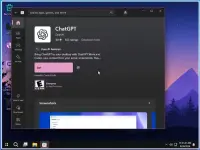
- Microsoft Store Experience Host is removed, which may affect Store-related functionality and applications that depend on it.
- Several networking, remote-access, printing, multimedia, and administrative components are unavailable.
- Although public release updates are reported to work, the availability and behavior of future updates cannot be guaranteed for a customized preview installation.
- Review the complete removal list and back up important data before installation.
The source provides the following general Windows 11 requirements:
- Processor: 2 GHz or faster.
- RAM: 2 GB.
- Free Disk Space: 25 GB.
- Graphics Card: DirectX 9-compatible graphics device or newer.
- Touch Support: A tablet or monitor supporting multitouch is required for touch functionality.
- Microsoft Store: Accessing the Store to download and run applications requires an active Internet connection and a screen resolution of at least 1024 x 768 pixels.
Code:
https://www.microsoft.com- Software Name: Windows 11 Pro Extreme 11 v3 Edition
- Version: 26H2 Build 26300.9278
- Architecture: x64
- Languages: English
- License type: Full Version
- File Size: 6.88 GB

Download ( Rapidgator )
You do not have permission to view the full content of this post. Log in or register now.
AlfaFile
You do not have permission to view the full content of this post. Log in or register now.
You do not have permission to view the full content of this post. Log in or register now.
You do not have permission to view the full content of this post. Log in or register now.
You do not have permission to view the full content of this post. Log in or register now.
You do not have permission to view the full content of this post. Log in or register now.
You do not have permission to view the full content of this post. Log in or register now.
You do not have permission to view the full content of this post. Log in or register now.
You do not have permission to view the full content of this post. Log in or register now.