 PH
PremiumCourses
Honorary Poster
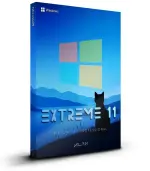
Free Download Windows 11 Pro 26H2 Build 26300.9032 Extreme 11 v2 Edition (Preview) | Windows x64 | No TPM | Languages: English | File Size: 7.4 GB
Windows 11 Pro Extreme 11 v2 is a customized Windows operating system built around an experimental Windows Insider release. This edition focuses on a refined visual presentation and a streamlined system configuration, with numerous built-in Windows components and background services removed.
Based on Windows 11 Pro 26H2 Build 26300.9032, Extreme 11 v2 introduces further changes compared with the previous Extreme 11 26H2 release. It is designed for users interested in a heavily modified Windows environment, with fewer bundled applications and a reduced collection of system features.
This release is still part of the Windows Insider Experimental channel. It has a scheduled expiration date of October 31, 2027, making update management and the experimental nature of the operating system important considerations before installation.
Software Overview
Extreme 11 v2 is a third-party customized edition of Windows 11 Pro. Its modifications focus on removing selected applications, legacy components, enterprise services, networking features, and background functionality that may not be required by every user.
The removal list covers a wide range of Windows components, including Internet Explorer, Internet Information Services (IIS), Windows Search, Windows Error Reporting, Remote Assistance, Remote Registry, telemetry-related services, and several enterprise management features. Various legacy subsystems and optional networking services have also been excluded.
Because this build is based on an experimental Insider platform, it should not be considered equivalent to a finalized public Windows release. Compatibility and update behavior may change as Microsoft develops the underlying platform.
Key Features
- Windows 11 Pro 26H2: Based on experimental build 26300.9032.
- Extreme 11 v2 Edition: An updated customization of the previous Extreme 11 26H2 release.
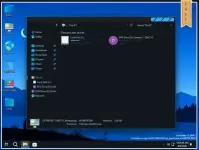
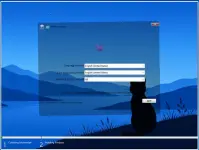
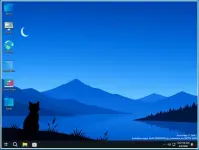
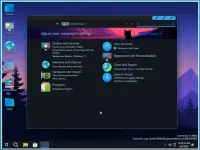
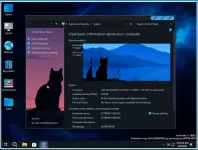
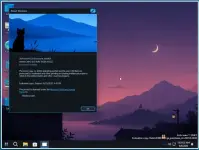
- Refined Visual Design: Features a visual presentation that the developer describes as one of the best-looking versions of the project.
- Reduced Bundled Applications: Removes numerous built-in Windows applications and bundled components.
- Legacy Component Removal: Excludes components such as Internet Explorer, 16-bit NTVDM support, CHM help support, and legacy networking services.
- Reduced Background Services: Removes selected services associated with telemetry, notifications, troubleshooting, device experiences, and other Windows functions.
- Enterprise Component Removal: Excludes selected enterprise features, including Assigned Access, Work Folders Client, Windows LAPS, Enterprise Data Protection, and File Server Resource Manager.
- Networking Changes: Removes selected networking components such as BranchCache Client, NDIS Packet Capturing, Wi-Fi Sense, and Simple TCP/IP services.
- Remote Management Changes: Removes Remote Assistance, Remote Registry, RPC Locator, and other optional management components.
- No TPM Requirement: Modified installation configuration designed for systems without the standard TPM requirement.
- Experimental Update Support: Updates can be enabled by following the developer's specified Insider enrollment procedure.
Extreme 11 v2 may appeal to experienced Windows users who prefer a customized installation without many of the applications and services included in a standard Windows environment. Its extensive component removal provides a different system configuration for users who understand the trade-offs involved.
The release also offers an updated visual design and a broad set of modifications covering legacy Windows functionality, enterprise tools, networking components, and background services. However, removing these components can affect applications and workflows that depend on them. It is therefore important to review the removal list before using this edition as a daily operating system.
What's New
- Introduces version 2 of Extreme 11 26H2 with additional changes.
- Based on Windows 11 Pro experimental build 26300.9032.
- Includes further modifications to bundled applications and Windows components.
- Continues the project's focus on a customized visual experience and reduced system functionality.
The supplied Windows 11 requirements are:
- Processor: 2 GHz or faster.
- Memory: 2 GB RAM.
- Storage: 25 GB of available disk space.
- Graphics: DirectX 9-compatible graphics device or newer.
- Touch Support: A tablet or monitor supporting multitouch is required for touch functionality.
- Microsoft Store: An active Internet connection and a screen resolution of at least 1024 x 768 are required to access the Store and download or run applications.
- Additional Requirements: Certain Windows features may require additional hardware or services.
This edition is based on the Windows Insider Experimental channel and is not a finalized public Windows release. According to the developer, the build has an expiration date of October 31, 2027. The developer recommends keeping Windows updates enabled and maintaining the installation with current updates.
To enable updates, follow the supplied instructions:
- Open Settings and unpause Windows updates.
- Locate the Extras folder on the desktop.
- Run OfflineInsiderEnroll.cmd.
- Select EXPERIMENTAL (25H2).
- Do not select 26H1 or Future Platform, as the developer warns that these options will remove the operating system modifications.
This customized edition removes numerous Windows components, including Security Center, Windows Push Notifications Service, Windows Search, Windows Error Reporting, and other services. Some applications and system functions that rely on these components may not work as expected. Back up important files and prepare suitable recovery media before installation.
Home Page
Code:
https://www.microsoft.com- Software Name: Windows 11 Pro Extreme 11 v2 Edition
- Version: 26H2 Build 26300.9032 (Preview)
- Architecture: x64
- Languages: English
- License type: Full Version
- File Size: 7.4 GB
Download ( Rapidgator )
You do not have permission to view the full content of this post. Log in or register now.
AlfaFile
You do not have permission to view the full content of this post. Log in or register now.
You do not have permission to view the full content of this post. Log in or register now.
You do not have permission to view the full content of this post. Log in or register now.
You do not have permission to view the full content of this post. Log in or register now.