 PH
PremiumCourses
Eternal Poster
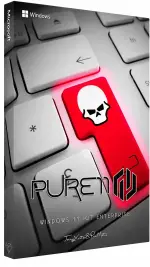
Free Download Windows 11 Ultra Lite IoT Enterprise LTSC Build 26100.8973 x64 | Pure11 Edition | Windows (x64) | Languages:English | File Size: 2.14 GB
Windows 11 IoT Enterprise LTSC Pure11 Edition is a customized, lightweight version of Windows designed for everyday computing and desktop productivity. This release focuses on reducing system overhead through extensive component removal and performance-oriented configuration changes.
The build includes a collection of interface customizations, service adjustments, and system optimizations intended to improve responsiveness and reduce resource consumption. It also comes with several additional desktop utilities and supports English as its only interface language.
Software Overview
Based on Windows 11 IoT Enterprise LTSC Build 26100.8973, Pure11 Edition provides a streamlined 64-bit Windows environment with many standard applications, security components, administrative tools, and optional system features removed.
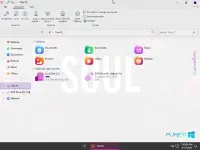
Its configuration includes a High Performance power plan, aggressive CPU boost settings, faster login and shutdown adjustments, and a customized desktop appearance. Several Windows services are disabled or configured for manual startup.
The build also includes 7-Zip, OldNewExplorer, SIB AIO, ExplorerBgTool, and Nilesoft Shell for additional desktop functionality and customization.
Key Features
- Ultra-Lite Installation: Removes numerous built-in applications, optional Windows features, and system components.
- Performance Optimization: Applies system-wide tweaks intended to improve responsiveness and reduce resource usage.
- High Performance Power Plan: Configures and applies the High Performance power profile by default.
- Aggressive CPU Boost: Enables CPU boost settings with an Aggressive configuration.
- Faster Login and Shutdown: Includes adjustments targeting shorter startup login and shutdown operations.
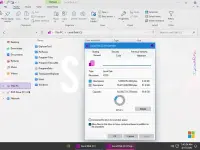
- Explorer Optimization: Applies tweaks to improve File Explorer responsiveness.
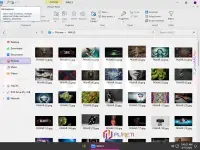
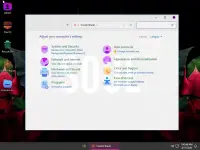
- Customized Desktop: Includes custom wallpapers, an account image, and a modified theme.
- Default Image Viewer: Windows Image Viewer is configured as the default image-viewing application.
- Microsoft Account Bypass: The installation setup is configured to bypass the Microsoft account requirement.
- System Protection: System Protection is enabled.
- Privacy Configuration: Windows privacy features are turned off.
- English Interface: Supports English only.
- 7-Zip: Utility for creating and extracting compressed archives.
- OldNewExplorer: File Explorer customization tool.
- SIB AIO: Start menu customization utility.
- ExplorerBgTool: Tool for customizing the File Explorer background.
- Nilesoft Shell: Context menu customization utility.
Pure11 Edition removes or excludes a wide range of Windows applications, services, language resources, and optional components. Major removals include:
- Security Components: Microsoft Defender Antivirus, SmartScreen, Security Center, Device Guard, BitLocker Drive Encryption, and Web Threat Defense Service.
- Windows Interface Components: Windows Shell Experience, Windows Copilot, Windows Hello Setup, Narrator, Eye Control, and Take a Test.
- Networking Components: Captive Portal Flow, Network Connection Flow, BranchCache Client, Wi-Fi Network Manager, Windows Remote Management, and selected networking services.
- Management Tools: Device Manager, Computer Management, Disk Management, Event Viewer, Services management console, Task Scheduler management console, and Local Users and Groups Manager (32-bit).
- Enterprise Features: Active Directory Lightweight Directory Services, Application Virtualization, Enterprise Data Protection, Mobile Device Management, Assigned Access, Device Lockdown, and Guarded Host.
- Storage and Recovery: File History, Storage Spaces, System Reset, Windows Recovery Environment, WinPE, Offline Files, and Storage Quality of Service.
- Legacy and Optional Features: Internet Information Services, ActiveX Installer Service, Floppy Disk support, Infrared devices, Telnet Client, TFTP Client, Simple TCP/IP Services, and Windows To Go.
- Accessibility and Speech: Voice Access, Speech Recognition, Speech TTS, Speech API, and selected accessibility components.
- Additional Windows Components: Windows Error Reporting, Windows System Assessment Tool, Windows TIFF IFilter, Windows Mixed Reality, TV Tuner support, Work Folders Client, and Microsoft Usage and Quality Insights.
- Language Resources: Various language packs, input methods, and fonts, including Arabic, Chinese, Japanese, Korean, and other language-specific resources.
- Other Components: Cache and temporary files, telemetry components, Microsoft Edge legacy components, WebView2 Runtime (Legacy), and selected background services.
Pure11 Edition is aimed at users who prefer a minimal Windows environment without many of the applications and optional features included in a standard installation. Its reduced component set and performance-focused configuration make it an alternative for everyday desktop tasks and productivity workflows.
The included utilities provide additional options for customizing File Explorer, the Start menu, and context menus. However, extensive system modifications mean that this edition is not equivalent to an untouched Microsoft installation. Users should check the removed-component list carefully, especially if they depend on Windows security, management, networking, or recovery features.
Important Notes
- Microsoft Defender Antivirus, SmartScreen, and Security Center have been removed. This significantly changes the built-in Windows security environment. Consider the security implications before connecting the system to the internet or using it for sensitive activities.
- Windows Recovery Environment and WinPE are removed, limiting built-in recovery and troubleshooting options.
- BitLocker Drive Encryption is removed and cannot be assumed to be available.
- Several administrative consoles and management utilities are unavailable.
- Only English is supported; additional language packs and selected input methods have been removed.
- Hibernation is disabled by default.
- Some applications or hardware features may not work if they depend on components excluded from this build.
The source provides the following general Windows 11 requirements:
- Processor: 2 GHz or faster.
- RAM: 2 GB.
- Free Disk Space: 10 GB.
- Graphics Card: DirectX 9-compatible graphics device or newer.
- Touch Support: A tablet or monitor supporting multitouch is required for touch functionality.
- Microsoft Store: Accessing the Store to download and run applications requires an active Internet connection and a screen resolution of at least 1024 x 768 pixels.
Code:
https://www.microsoft.com- Software Name: Windows 11 Ultra Lite IoT Enterprise LTSC Pure11 Edition
- Version: Build 26100.8973
- Architecture: x64
- Languages: English
- License type: Full Version
- File Size: 2.14 GB



Download ( Rapidgator )
You do not have permission to view the full content of this post. Log in or register now.
AlfaFile
You do not have permission to view the full content of this post. Log in or register now.
You do not have permission to view the full content of this post. Log in or register now.
You do not have permission to view the full content of this post. Log in or register now.