 PH
PremiumCourses
Honorary Poster

Free Download Windows 11 IoT Enterprise 25H2 Build 26200.9457 x64 Preactivated Ghost Spectre | WPE+ Bootable | No TPM | Language: English | File Size: 5.50 GB
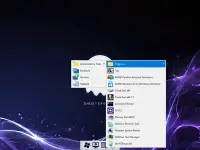
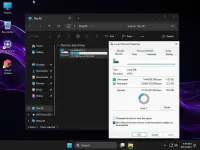
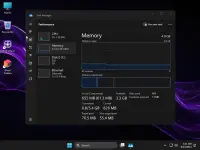
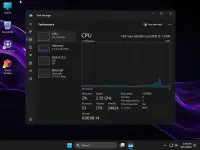
Windows 11 IoT Enterprise Ghost Spectre is a customized Windows operating system designed to provide a streamlined desktop environment with reduced background activity, configurable components, and performance-oriented adjustments. Based on the Windows 11 25H2 platform, this edition combines the IoT Enterprise foundation with Ghost Spectre modifications and additional installation options.
The release includes a compact system image, privacy adjustments, optimized services, and Ghost Toolbox for managing selected Windows components. It also provides bootable installation environments, including a customized Windows Preinstallation Environment (WPE), along with options for systems with or without TPM support.
Users can choose between different configurations depending on their preferred balance of functionality and system resource usage. Some features and Windows components are removed or disabled, so this customized edition may not offer the same functionality as an unmodified Windows installation.
Software Overview
Windows 11 IoT Enterprise is an enterprise-oriented Windows platform intended for specialized devices and managed computing environments. The Ghost Spectre edition modifies the standard installation to reduce bundled applications and background processes while introducing additional customization options.
The installation image uses Compact and LZX compression to reduce its footprint. Ghost Toolbox provides access to selected system-management options, including the ability to add or remove certain Windows components. The release also supports additional language and keyboard configurations.
Its bootable installation options include a custom WPE environment and a standard Ghost bootable option. TPM checks can be bypassed through the available installation configurations, making the release suitable for testing on hardware that does not meet the usual TPM requirement.
Key Features
- Windows 11 25H2 Base: Built around the Windows 11 25H2 platform with build number 26200.9457.
- Ghost Spectre Customization: Includes system modifications intended to reduce unnecessary components and background activity.
- Compact System Image: Uses Compact and LZX compression to reduce installation image size.
- Ghost Toolbox: Provides options for managing selected Windows components, including adding or removing Microsoft Store functionality.
- WPE Bootable Environment: Includes a customized Windows Preinstallation Environment for boot and maintenance tasks.
- Multiple Installation Options: Offers different bootable configurations, including a standard Ghost bootable option.
- TPM Installation Options: Supports installation configurations for systems with or without TPM checks.
- Performance Adjustments: Applies changes to pagefile settings, Windows services, scheduled tasks, and search indexing.
- Privacy Customization: Includes privacy-related adjustments, with additional telemetry restrictions in the Superlite configuration.
- Windows Update Control: Provides an option to pause Windows updates for an extended period, potentially up to the year 2077.
- Application Management: Removes selected bundled Windows, system, and AI-related applications.
- UWP Compatibility: Retains support for UWP applications and games, including examples such as Forza and Gears of War.
- Visual Customization: Includes custom icon packs and Windows themes.
- Language and Keyboard Support: Allows additional language and keyboard configurations.
- Preactivated Release: Distributed as a preactivated customized installation image.
This edition is intended for users who want more control over their Windows installation and prefer a customized environment with fewer bundled applications and configurable system components. Its compact image, modified services, and Ghost Toolbox provide several ways to tailor the installation.
The inclusion of both standard and WPE bootable options is useful for different installation and maintenance scenarios. However, the extensive modifications make it important to review the removed components and disabled services before choosing this edition, particularly when relying on Windows Security, printing, notifications, or other built-in features.
What's New
- Updated the operating system to build 26200.9457.
- Updated Windows Recovery components.
- Updated .NET Framework.
- Updated the WPE bootable environment.
The supplied Windows 11 requirements are:
- Processor: 1 GHz or faster.
- Memory: 1 GB RAM.
- Storage: 16 GB of available disk space.
- Graphics: DirectX 9-compatible graphics device or newer.
- Touch Support: A tablet or monitor supporting multitouch is required for touch functionality.
- Microsoft Store: An active Internet connection and a screen resolution of at least 1024 x 768 are required to access the Store and download or run applications.
- Additional Requirements: Certain Windows features may require additional hardware or services.
Important Notes
This is a heavily customized Windows image, not an untouched Microsoft installation. The available removal options include Windows Security, Microsoft Defender, SmartScreen, OneDrive, selected Windows applications, and other system components. Some configurations also disable Remote Desktop, the tablet keyboard, NFC, clipboard features, Focus Assist, Action Center, notifications, telemetry, and error reporting.
User Account Control is configured to never notify, and the WinSxS backup is removed. The Print Spooler may also be disabled; users who need printing should set its service startup type to Automatic, as indicated by the release notes. OneDrive can be restored through Ghost Toolbox, but other removed components may require separate installation media or may not be recoverable.
Because security protections and recovery components can be reduced or removed, consider the implications before installing this edition on a primary computer. Back up important data and keep suitable recovery media available. The preactivated status should not be treated as proof of a valid Microsoft license.
Home Page
Code:
https://www.microsoft.com- Software Name: Windows 11 IoT Enterprise
- Version: 25H2 Build 26200.9457 Ghost Spectre
- Architecture: x64
- Languages: English
- License type: Preactivated
- File Size: 5.50 GB

Download ( Rapidgator )
You do not have permission to view the full content of this post. Log in or register now.
AlfaFile
You do not have permission to view the full content of this post. Log in or register now.
You do not have permission to view the full content of this post. Log in or register now.
You do not have permission to view the full content of this post. Log in or register now.
You do not have permission to view the full content of this post. Log in or register now.
You do not have permission to view the full content of this post. Log in or register now.
You do not have permission to view the full content of this post. Log in or register now.