 PH
PremiumCourses
Honorary Poster
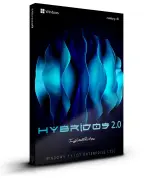
Free Download Windows 11 IoT Enterprise LTSC Build 26100.8655 x64 HYBRID 11 v2.0 Multilingual Preactivated
Windows 11 IoT Enterprise LTSC HYBRID 11 v2.0 is a customized Windows installation designed for everyday computing, desktop productivity, and gaming. Built on the Windows 11 IoT Enterprise LTSC platform, this edition combines extensive performance adjustments with a reduced collection of built-in applications, services, and optional system components.
The release applies CPU boost settings, an aggressive performance profile, and several system optimizations intended to improve responsiveness and reduce background resource usage. It also includes interface customizations, a High Performance power plan, and configuration changes to Windows services and privacy settings.
This edition is distributed with multiple language options and is designed for users who prefer a streamlined Windows environment. However, its extensive modifications affect important Windows functionality, including cumulative updates, recovery tools, security components, and certain built-in applications.
Software Overview
HYBRID 11 v2.0 is a third-party modified edition of Windows 11 IoT Enterprise LTSC. Its configuration focuses on performance-oriented system adjustments, reduced background activity, and the removal of selected Windows features that may not be needed in every installation.
The system uses the High Performance power plan and enables CPU boost settings with an aggressive default configuration. Additional adjustments target login, shutdown, File Explorer responsiveness, bandwidth throttling, search indexing, and selected Windows services.
Several Windows components have been removed, including Microsoft Defender Antivirus, Windows Recovery Environment (WinRE), Windows Preinstallation Environment (WinPE), Windows Update functionality, and various optional applications. The WinSxS folder has also been cleared, which means cumulative Windows updates cannot be installed through the normal servicing process.
Key Features
- Windows 11 IoT Enterprise LTSC: Based on Windows 11 IoT Enterprise LTSC build 26100.8655.
- HYBRID 11 v2.0: A customized edition with extensive system and performance modifications.
- Multilingual Installation: Supports English, Croatian, Greek, Spanish, German, Arabic, Bulgarian, French, Russian, and Thai during installation.
- Aggressive CPU Boost: CPU boost settings are enabled and configured with an aggressive default profile.
- High Performance Power Plan: Uses the High Performance power plan by default.
- System Responsiveness Tweaks: Includes adjustments intended to improve login, shutdown, and File Explorer responsiveness.
- Reduced Background Activity: Disables or changes selected services and scheduled system functions.
- Privacy Configuration: Windows privacy features are turned off according to the release configuration.
- Search Disabled: Windows Search functionality is disabled.
- Bandwidth Throttling Disabled: Removes the configured bandwidth throttling restriction.
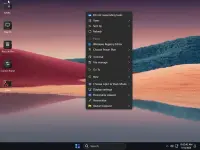
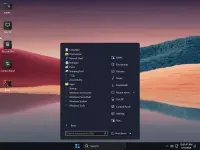
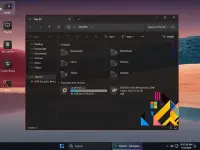
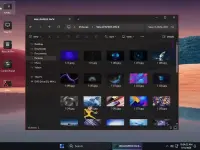
- Custom Interface: Includes custom wallpapers, an applied account image, and a modified Windows theme.
- Windows Image Viewer: Configured as the default image viewer.
- System Restore: System Restore is enabled.
- Microsoft Account Bypass: Includes an installation configuration that bypasses the Microsoft account requirement.
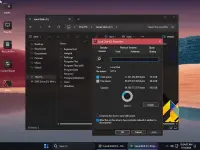
- Compact Installation: Provides a reduced installation image with a reported size of 2.95 GB.
This customized edition is aimed at users who want a Windows installation with fewer bundled components and a performance-focused configuration. Its combination of CPU boost settings, High Performance power management, and service adjustments offers an alternative to the default Windows setup.
The multilingual installation options also make it suitable for users who prefer to select a supported language during setup. Custom wallpapers, an applied theme, and the default Windows Image Viewer provide additional desktop configuration.
However, this release involves substantial compromises. Microsoft Defender Antivirus and recovery environments are removed, while the cleared WinSxS folder prevents normal cumulative updates. It is therefore more appropriate for experienced users who understand the limitations of modified Windows installations.
What's New
- Updated to Windows 11 IoT Enterprise LTSC build 26100.8655.
- Introduces HYBRID 11 version 2.0.
- Includes updated performance and responsiveness adjustments.
- Applies aggressive CPU boost settings by default.
- Features a revised collection of removed Windows components and system services.
- Includes custom wallpapers, account imagery, and an applied theme.
The supplied Windows 11 requirements are:
- Processor: 2 GHz or faster.
- Memory: 2 GB RAM.
- Storage: 11 GB of available disk space.
- Graphics: DirectX 9-compatible graphics device or newer.
- Touch Support: A tablet or monitor supporting multitouch is required for touch functionality.
- Microsoft Store: An active Internet connection and a screen resolution of at least 1024 x 768 are required to access the Store and download or run applications.
- Additional Requirements: Certain Windows features may require additional hardware or services.
This is a heavily modified Windows installation. The WinSxS folder has been cleared, and the release notes explicitly state that cumulative Windows updates are unavailable. The Windows Update section is also disabled, so this edition should not be treated as a normally serviced Windows installation.
Microsoft Defender Antivirus, Windows Recovery Environment, and Windows Preinstallation Environment have been removed. Other removed components include Windows Copilot, Windows Insider functionality, Remote Desktop Client (32-bit), Windows Reader, Windows Mixed Reality, and several optional Windows services and applications. Some services are disabled or configured for manual startup.
The Print Spooler is set to Manual, so printing may require starting the service. SysMain and Windows Search are disabled, while hibernation is turned off. System Restore is enabled, but it does not replace a complete backup or external recovery media.
Because security, servicing, and recovery capabilities have been reduced, consider these limitations carefully before installing the system on a primary computer. Back up important files and prepare independent recovery media. The preactivated status does not establish that the installation has a valid Microsoft license.
Home Page
Code:
https://www.microsoft.com- Software Name: Windows 11 IoT Enterprise LTSC HYBRID 11
- Version: Build 26100.8655 v2.0
- Architecture: x64
- Languages: English, Croatian, Greek, Spanish, German, Arabic, Bulgarian, French, Russian, Thai
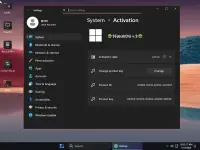
- License type: Preactivated
- File Size: 2.95 GB


Download ( Rapidgator )
You do not have permission to view the full content of this post. Log in or register now.
AlfaFile
You do not have permission to view the full content of this post. Log in or register now.
You do not have permission to view the full content of this post. Log in or register now.
You do not have permission to view the full content of this post. Log in or register now.
You do not have permission to view the full content of this post. Log in or register now.