 PH
PremiumCourses
Honorary Poster
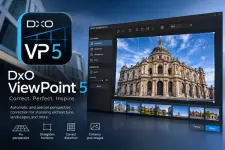
Free Download DxO ViewPoint 5.19.0.58 (x64) Multilingual | 411 Mb
DxO ViewPoint is a specialized photo-editing application designed to correct perspective distortions, restore natural proportions, and refine image geometry. It helps photographers fix converging vertical lines, distorted wide-angle subjects, curved horizons, and other optical imperfections that can affect the composition of an image.
Combining automatic correction tools with precise manual controls, the software makes it easier to adjust architectural photographs, landscapes, portraits, and wide-angle shots. It can operate as a standalone application or integrate with supported photo-editing software, providing a dedicated solution for geometric corrections within an established photography workflow.
Software Overview
DxO ViewPoint focuses on the geometry and perspective of digital photographs. Its correction tools address common problems caused by camera angles and wide-angle lenses, including barrel distortion, pincushion distortion, fisheye effects, and volume deformation near the edges of an image.
Users can correct perspective with automatic processing or manually positioned anchor points. The application also provides horizon straightening, automatic cropping, artistic blur, and detailed adjustment controls. DxO Optics Modules use camera and lens-specific data to deliver corrections tailored to supported photographic equipment.
Key Features
- Perspective Correction: Correct converging vertical and horizontal lines in architectural and wide-angle photographs using automatic tools or manually positioned anchor points.
- Volume Deformation Correction: Restore natural proportions to faces, bodies, and objects stretched near the edges of wide-angle photographs.
- Lens Distortion Correction: Address barrel, pincushion, and fisheye distortion to produce more natural-looking image geometry.
- Horizon Straightening: Automatically detect and level slanted horizons to improve the balance of landscape photographs.
- Automatic Cropping: Optimize the visible image area after perspective, horizon, or viewpoint corrections, while also allowing manual crop adjustments.
- Manual Correction Controls: Fine-tune correction intensity, select anchor points, and adjust the visible field to achieve the desired composition.
- DxO Optics Modules: Apply camera and lens-specific optical corrections based on detailed calibration data developed by DxO.
- Artistic Blur Effects: Create progressive blur and bokeh-style effects to simulate a shallower depth of field.
- Loupe Tool: Inspect image details closely while refining perspective and horizon adjustments.
- Comparison Tools: Evaluate corrections using dedicated comparison controls within the application's interface.
- Flexible Editing Workflow: Use the software independently or as a plugin and external editor within supported photography applications.
DxO ViewPoint is useful for photographers who regularly work with architecture, interiors, landscapes, portraits, and wide-angle photography. Perspective and lens distortions can significantly change the appearance of buildings and people, particularly near the edges of a frame. The software provides dedicated tools to correct these issues while maintaining greater control over the final composition.
Its combination of automatic corrections, manual adjustments, and calibrated optical profiles makes it suitable for both quick fixes and more precise image refinement. The ability to work as a standalone application or integrate into an existing editing workflow adds flexibility for different photography setups.
System Requirements
- Operating System: Microsoft Windows 8.1 (64-bit) or Microsoft Windows 10 (64-bit).
- Processor: Intel Core 2 Duo, AMD Athlon 64 X2, or higher.
- Memory: 4 GB RAM (8 GB recommended).
- Storage: 400 MB of available disk space.
- Display: 1024 x 768 resolution or higher.
English, French, German, Japanese.
Frequently Asked Questions
What is DxO ViewPoint used for?
DxO ViewPoint is used to correct perspective, lens distortion, horizon alignment, and unnatural proportions in digital photographs.
Can DxO ViewPoint correct distorted buildings?
Yes. Its perspective tools can straighten converging vertical and horizontal lines commonly found in architectural photographs.
Does the software correct stretched faces and bodies?
Yes. Its volume deformation correction can restore more natural proportions to people and objects distorted near the edges of wide-angle images.
Can DxO ViewPoint be used with other photo-editing applications?
Yes. It can be used as a plugin for DxO PhotoLab and as an external editor with Adobe Photoshop, Adobe Lightroom, and Adobe Photoshop Elements.
Is DxO ViewPoint available as a standalone application?
Yes. The software can run independently or be incorporated into supported photo-editing workflows.
Home Page
Code:
https://www.dxo.com- Software Name: DxO ViewPoint
- Version: 5.19.0.58
- Architecture: x64
- Languages: Multilingual (English, French, German, Japanese)
- License type: Full Version
- File Size: 411 Mb
Download ( Rapidgator )
You do not have permission to view the full content of this post. Log in or register now.
ClicknUpload
You do not have permission to view the full content of this post. Log in or register now.
DDownload
You do not have permission to view the full content of this post. Log in or register now.
FreeDL
You do not have permission to view the full content of this post. Log in or register now.