 PH
PH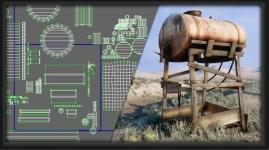
3ds max Unwrap Complete Course
Published 8/2026
Created by Marcello Pattarin
MP4 | Video: h264, 1920x1080 | Audio: AAC, 44.1 KHz, 2 Ch
Level: All Levels | Genre: eLearning | Language: English | Duration: 113 Lectures ( 16h 11m ) | Size: 11.1 GB
In this 3ds Max course we will study Unwrap techniques.
What you'll learn
 All the features of Unwrap. Texturing in Photoshop. Unwrap Updates 2017 and Up. Step-by-step exercises in Unwrap. Mapping Modifiers. Rendered in Arnold and Mental Ray. Tips Exercises Unwrap, UVReactor, Unwrella. New Unwrap Architecture Exercises. New Unwrap Cyborg Exercises. New UV Packer tools. New Unwrap Peel 3ds max 2024_2025
Requirements
 Basics to use 3ds max
Description
"This course contains the use of artificial intelligence"
Note: This course uses a speaker with AI-generated voice.
This course contains 4 courses for a complete overview of unwrap in 3ds max.
Topics Course 1:Analysis of Unwrap and texturing procedures. The relationship between Edit UVWs and the Modifier Stack, the types of Quick Planar Map, Planar, Cylindrical, Box projections, the relationship between XY and UV space and edit uvw. The selection methods in the unwrap and relationship modifier in the Viewport. Detailed analysis of the file menu, edit, select, options, view, display, tools, mapping. Management of new commands and new interface: soft selection, lock Ide freeze id, flip and mirror, detach, weld, stitch, pack uvs, sketch vertices, relax, render uvs, align space, reshape element, explode, quick transform. Step-by-step unwrap exercises for simple and complex objects. Texturing exercises in Photoshop and modifier management in 3ds max.
Attached to the lessons are available 3ds max 2014 exercise files compatible up to 3ds max 2017 and 3ds max 2018, 2020 files compatible with higher relase.
Note: the exercise files are attached to the lesson: 3dsmax_028_Unwrap UVW and Modifier Stack
Updates: 3 lessons have been added to the course in section 8 "Car Render Arnold 3ds max 2020 and higher" which illustrate the procedures for converting the scene to Arnold for 3ds max 2020 and higher.
Topics Course 2: Group management analysis and unwrap scale priorities. Use of the Pelt and management of Seams, Relax, Strecher, Spring and all the options. The new interactive Peels and pin management in clusters. Step by step exercises of unwrap characters and export of textures between Photoshop and Pelt (note: the texturing exercises contain photographic images of ****s) Unwrap Spline Circular and Planar in architectural examples. The new and fast Unfold in examples of Architecture. Architectural Loft Mapping exercises. Map Scaler and Mapping Clear modifiers for controlling mapping coordinates and the relationship with materials and textures. Relationship between Meshsmooth and Unwrap in Divani design objects. Texturing exercises in Photoshop and modifier management in 3ds max
Attached to the lessons are available 3ds max 2014 exercise files compatible up to 3ds max 2017 and 3ds max 2018, 2020 files compatible with higher relase.
Note: the exercise files are attached to the lesson: 3dsmax_070_Element_Properties i Groups
Updates: the lesson "3dsmax_080b_Rendering Arnold 3ds max 2020" has been added to the course where the procedures for rendering in Arnold for 3ds max 2020 and higher are illustrated.
Topics Course 3: Analysis of the new functions of the 3ds max 2017 Unwrap modifier and new maps and render settings.
Attached to the lessons are available the exercise files compatible with 3ds max 2017 and the files of 3ds max 2018, 2020 compatible with the higher relase.
Note: the exercise files are attached to the lesson: 001_3ds max_Unwrap Interface 1
Course 4 topics: Unwrap exercises referring to the face of a cyborg character and its parts.
Note: The exercise files are attached to the lesson: 002_Decomposing the elements
Course 5 Topics: Unwrap Exercises relating to Architectural Furniture.
Note: Exercise files are attached to the lesson: 002_Unwrap Architecture 1
Topics Section 18: New UV Packer tools
Note: The exercise files are attached to the lesson: 001_Uv Packer Installation
Who this course is for
 Architects, Surveyors, Designers, Students, Teachers, 3D Artists.
You do not have permission to view the full content of this post. Log in or register now.
You do not have permission to view the full content of this post. Log in or register now.
You do not have permission to view the full content of this post. Log in or register now.
You do not have permission to view the full content of this post. Log in or register now.
You do not have permission to view the full content of this post. Log in or register now.
You do not have permission to view the full content of this post. Log in or register now.
You do not have permission to view the full content of this post. Log in or register now.
You do not have permission to view the full content of this post. Log in or register now.
You do not have permission to view the full content of this post. Log in or register now.
You do not have permission to view the full content of this post. Log in or register now.
You do not have permission to view the full content of this post. Log in or register now.
You do not have permission to view the full content of this post. Log in or register now.