 PH
PH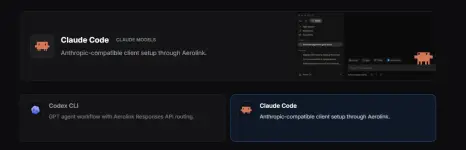
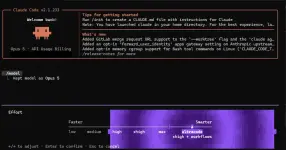
Can go up to ultracode !
Setup
1. Go to You do not have permission to view the full content of this post. Log in or register now.
2. Sign up
3. Generate API
For Codex
Install Codex CLI
Install Node.js LTS first, then install Codex from PowerShell.
bashCopy
node --version<br>npm install -g @openai/codex
Create the Codex settings folder
powershellRemove-Item -Recurse -Force "$env:USERPROFILE\.codex" -ErrorAction SilentlyContinue<br>New-Item -ItemType Directory "$env:USERPROFILE\.codex"
Create auth.json
Save this file at C:\Users\YOUR_USERNAME\.codex\auth.json.json
{<br> "OPENAI_API_KEY": "YOUR_AEROLINK_API_KEY"<br>}
Create config.toml
Save this file at C:\Users\YOUR_USERNAME\.codex\config.toml.model_provider = "aerolink"
model = "gpt-5.6-sol"
model_reasoning_effort = "high"
disable_response_storage = true
preferred_auth_method = "apikey"
[model_providers.aerolink]
name = "aerolink"
base_url = "You do not have permission to view the full content of this post. Log in or register now."
wire_api = "responses"
[windows]
sandbox = "elevated"
Optional: trust a project folder
If Codex asks whether to trust a project, approve it in the UI. Advanced users can add a project entry like this to config.toml:toml
[projects.'C:\Users\YOUR_USERNAME\your-project']<br>trust_level = "trusted"