PH
PH Claude Code CLI, Codex CLI & VS Code Claude Code — AgentRouter
Use AgentRouter to run Claude Code CLI, Codex CLI, or Claude Code in VS Code.
 REFERRAL REQUIRED:
You do not have permission to view the full content of this post. Log in or register now.
 You MUST sign in with GitHub.
No GitHub account? Create one first.
 Use the referral link when registering to receive the applicable extra referral credit rewards.
 If the site isn't English: Right-click → Translate to English
 Create AgentRouter Account
 You do not have permission to view the full content of this post.
Log in or register now.
You do not have permission to view the full content of this post.
Log in or register now.IMPORTANT: Register using GitHub.
AgentRouter → Sign in with GitHub → Authorize → Account
Use the referral link above when creating the account. Get Your Free Credits
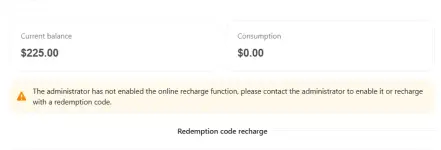
AgentRouter currently provides promotional free credits through daily login/check-in. The amount may vary.If credits don't appear:
Log out → Log back in → Check balance
 Create API Token
You do not have permission to view the full content of this post.
Log in or register now.Click Create New Token.
| Setting | Recommended |
|---|---|
| Name | Claude Code |
| Token grouping |  Default Default |
| Expiration | Never expires |
| Quantity | 1 |
| Quota | Default / your limit |
| Unlimited quota | OFF |
| Model restrictions | Blank |
| IP whitelist | Blank |
Token grouping MUST be Default.Click Submit and copy your sk-... API token.
 Never share your API token publicly.
 Choose Your Model
Go to:AgentRouter → Personal Settings → Claude Models
Choose a model that is currently available.
Model availability can change. Use the model ID shown by AgentRouter. React with LOVE to unlock the tutorials below
 A. CLAUDE CODE CLI
1. Install Claude Code
Requires Node.js 1☍+.npm install -g @anthropic-ai/claude-code@latest
Check:
claude --version
2. Configure AgentRouter
Windows PowerShell
$env:ANTHROPIC_AUTH_TOKEN="YOUR_AGENTROUTER_API_KEY"$env:ANTHROPIC_BASE_URL="https://co.agentrouter.org"
$env:ANTHROPIC_MODEL="YOUR_CLAUDE_MODEL"
macOS / Linux
export ANTHROPIC_AUTH_TOKEN="YOUR_AGENTROUTER_API_KEY"export ANTHROPIC_BASE_URL="https://co.agentrouter.org"
export ANTHROPIC_MODEL="YOUR_CLAUDE_MODEL"
Replace:
YOUR_AGENTROUTER_API_KEY → your AgentRouter token
YOUR_CLAUDE_MODEL → your available Claude model
Claude uses:You do not have permission to view the full content of this post. Log in or register now.
Do NOT add /v1.
3. Start Claude Code
cd your-projectclaude
 B. CODEX CLI
1. Install Codex
Install the Codex CLI using its official installation method.Then check:
codex --version
2. Create Codex Configuration
Create:~/.codex/config.toml
Add:
model = "YOUR_CODEX_MODEL"
model_provider = "agentrouter"
[model_providers.agentrouter]
name = "AgentRouter"
base_url = "You do not have permission to view the full content of this post. Log in or register now."
env_key = "AGENTROUTER_API_KEY"
wire_api = "chat"
Replace:
YOUR_CODEX_MODEL → an available Codex/OpenAI-compatible model.
3. Set API Key
Windows PowerShell
$env:AGENTROUTER_API_KEY="YOUR_AGENTROUTER_API_KEY"macOS / Linux
export AGENTROUTER_API_KEY="YOUR_AGENTROUTER_API_KEY" Codex uses:You do not have permission to view the full content of this post. Log in or register now.
Codex uses /v1; Claude does not.
4. Start Codex
codexTest:
codex "Only reply OK"
 C. CLAUDE CODE — VS CODE EXTENSION
1. Install Claude Code
In VS Code:Ctrl + Shift + X
Search:
Claude Code
Install the official Claude Code extension.
2. Open settings.json
Press:Ctrl + Shift + P
→ Preferences: Open User Settings (JSON)
Add:
{
"claudeCode.environmentVariables": [
{
"name": "ANTHROPIC_AUTH_TOKEN",
"value": "YOUR_AGENTROUTER_API_KEY"
},
{
"name": "ANTHROPIC_BASE_URL",
"value": "You do not have permission to view the full content of this post. Log in or register now."
},
{
"name": "CLAUDE_CODE_ENABLE_GATEWAY_MODEL_DISCOVERY",
"value": "1"
},
{
"name": "ANTHROPIC_MODEL",
"value": "YOUR_CLAUDE_MODEL"
}
],
"claudeCode.disableLoginPrompt": true,
"claudeCode.initialPermissionMode": "acceptEdits"
}
Replace:
YOUR_AGENTROUTER_API_KEY → your API token
YOUR_CLAUDE_MODEL → your available Claude model
Claude uses:You do not have permission to view the full content of this post. Log in or register now.
Do NOT add /v1.
3. Disable Login Prompt
VS Code:Claude Code →
 Settings → Disable Login Prompt → ON
4. Reload VS Code
Ctrl + Shift + P→ Developer: Reload Window
Open Claude Code and test:
Only reply OK
If it replies OK, you're connected.

 Official AgentRouter Guides
Claude Code CLI:You do not have permission to view the full content of this post. Log in or register now.
Codex CLI:
You do not have permission to view the full content of this post. Log in or register now.
Claude Code VS Code:
You do not have permission to view the full content of this post. Log in or register now.
REFERRAL — USE THIS WHEN CREATING YOUR ACCOUNT:You do not have permission to view the full content of this post. Log in or register now.
GitHub login is required.No GitHub? Create one first.
Use the referral link to receive the applicable extra referral credit rewards.