PH
PH
1. You do not have permission to view the full content of this post. Log in or register now. : you will get $20 credits upon first login
2.Verify your accounnt via telegram or you can topup 80 pesos for $30 credits using alipay to verify your account
3.Create your Api key
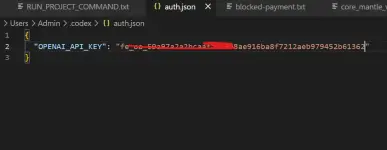
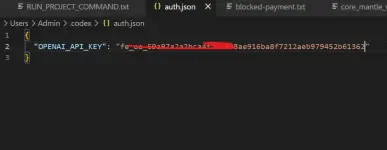
5.In C:\Users\<your-username>\.codex, delete any existing auth.json then create a new one:
{
"OPENAI_API_KEY": "YOUR_API_KEY"
}
the auth file should be look like this
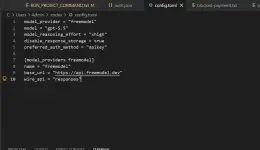
6. In C:\Users\<your-username>\.codex, delete any existing config.toml then create a new one:
model_provider = "freemodel"
model = "gpt-5.5"
model_reasoning_effort = "xhigh"
disable_response_storage = true
preferred_auth_method = "apikey"
[model_providers.freemodel]
name = "freemodel"
base_url = "You do not have permission to view the full content of this post. Log in or register now."
wire_api = "responses"
the content of the config should look exactly like this
8. open terminal and type command : npm install -g @openai/codex
9. after the codex is downloaded in terminal again type command: codex
10. keep pressing enter choose the recommended config by codex and your done
11. you can now close vscode and open again, the codex extension will automatically login in via API key you setup earlier