 PH
PH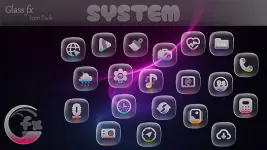

GlassFX - Glass Icon Pack (v1.1.0) [Patched] [Premium]
App Overview
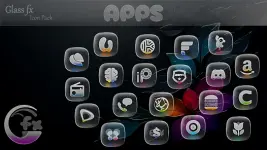
GlassFX is an icon pack for Android that applies a frosted glass effect with translucent layers and subtle shimmer to application icons.Key Specifications
| Detail | Specification |
|---|---|
| Current Version | v1.1.0 [Patched] [Premium] |
| Total Icon Count | 5,310 |
| Icon Resolution | 2K Ultra-High Quality |
| Included Wallpapers | 100+ matching designs |
| Age Rating | 12 and up |
Core Features
- Dynamic Frosted Effect: Translucent glass textures that allow wallpaper colors to show through.
- Wallpaper Integration: Includes a curated library of over 100 wallpapers optimized for glass textures.
- Broad Compatibility: Supports stock and third-party launchers, including Samsung One UI, Pixel, and custom alternatives.
Compatibility & Installation
Samsung One UI (via Good Lock / Theme Park)
- Open Theme Park.
- Select Icon > Create New.
- Tap Icon Pack and choose GlassFX.
- Save and apply the theme.
Third-Party Launchers
- Install a supported launcher (Nova, Niagara, Lawnchair, Smart, Action, Pixel Launcher, etc.).
- Open the GlassFX application.
- Navigate to the Apply tab and select the active launcher.
- Alternative: Apply directly through the internal settings of the respective launcher.
Changelog (v1.1.0)
- Added 78 new icons (bringing the total to 5,310).
- Updated and added icons for automatic home screen theming.
- Redesigned select icons for improved visual clarity.