 PH
PH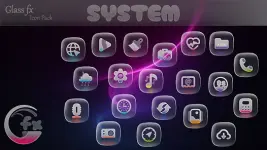

GlassFX - Glass Icon Pack v1.0.9 [Patched]
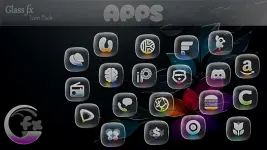
GlassFX is a comprehensive icon pack for Android featuring a "frosted glass" aesthetic. The design utilizes realistic translucent layers and shimmer effects to create depth across the interface.Technical Specifications
| Detail | Specification |
|---|---|
| Version | v1.0.9 [Patched] |
| Status | Premium |
| Android Requirement | 5.0 and up |
| Icon Resolution | 2K (Ultra-High Quality) |
| Total Icon Count | 5,232 |
| Wallpaper Count | 100+ (Matching designs) |
Core Features
- Dynamic Transparency: Icons feature a frosted effect that allows wallpaper colors to bleed through the glass texture.
- High-Fidelity Rendering: Over 5,000 icons rendered at 2K resolution.
- Cross-Platform Compatibility: Native support for Samsung One UI, Pixel devices, and various third-party launchers.
Implementation Guide
Samsung One UI (via Theme Park/Good Lock)
- Open Theme Park.
- Navigate to Icon > Create New.
- Select Icon Pack and choose GlassFX.
- Save and apply the configuration.
Third-Party Launchers
- Launch the GlassFX application.
- Navigate to the Apply tab.
- Select the active launcher from the list.
- Note: Manual application is available via launcher settings if the specific launcher is not listed.
Supported Launchers
| Category | Supported Apps |
|---|---|
| Native / Manufacturer | Samsung One UI (Theme Park), Pixel Launcher |
| Third-Party | Nova, Niagara, Smart, Lawnchair, Action, and others |
Change Log (v1.0.9)
- Icon Expansion: Added 71 new icons for automatic home screen theming.
- Visual Refinement: Redesigned select existing icons for improved visual clarity.
- Database Update: Total icon count increased to 5,232.