 PH
PH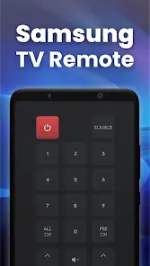
Technical Specifications
| Property | Details |
|---|---|
| App Name | Smart Remote Control for SAMSUNG TV |
| OS Requirement | Android 7.0+ |
| Current Version | v2.2.3 b29 |
| Mod Info | Premium Features Unlocked, All Debug Info Removed (Modded by TurboMods) |
| Changelog | No Changelog |
| Ad Status | Contains credit advertisements |
Connection Guide
- Open the application main interface.
- Select the device button in the top right corner to populate the device list.
- Choose the target Samsung Smart TV from the list to complete the connection.
Interface Architecture
- Discovery Screen: Displays all detected devices on the current network for pairing.
- Selection Screen: Offers a variety of remote control layouts for selection.
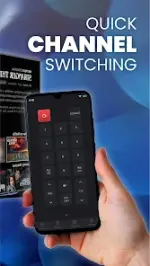
- Remote Control Screen: Emulates the physical remote layout with functional button mapping.
- Touch Pad Screen: Provides a navigational touchpad area and a customizable top strip for frequently used buttons.
- Apps Screen: Displays installed TV applications (e.g., YouTube, Netflix, Prime Video, Media Player).
- Media Screen: Dedicated interface for media playback manipulation.
Key Features
- Network Auto-Discovery: Automated detection of Samsung TVs within the shared Wi-Fi network.
- Text Input Optimization: Built-in keyboard functionality for streamlined searching and text entry.
- Media Casting: Supports casting local photos, local videos, and web videos to the TV.
- Screen Mirroring: Mirrors the smartphone screen display directly to the Smart TV.
- App Integration: Direct execution and navigation of TV-installed applications.
Troubleshooting & Constraints
- Network Dependency: The mobile device and the Smart TV must be connected to the exact same Wi-Fi network.
- Connection Issues: Most connectivity faults can be resolved by reinstalling the application and rebooting the TV.
- Version Compatibility: Maintaining the latest application version resolves known communication bugs.
Disclaimer
This application is an independent development designed for compatibility with Samsung TVs and is not an official product of Samsung.Main link: Download Mirror link1: Download

.webp "(ditto) :(ditto):")
