 PH
PH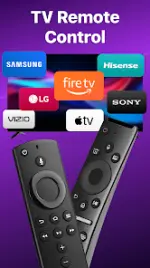
Application Overview
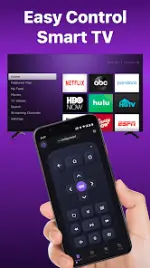
Remote for Roku: TV Remote is a mobile application that allows Android devices to control Roku streaming players and Roku-integrated smart TVs over a local Wi-Fi network. It replicates the functionality of a physical Roku remote control, including power management, volume adjustment, media playback, and content casting.Technical Specifications
| Parameter | Specification |
|---|---|
| Application Name | Remote for Roku: TV Remote |
| Version | v1.8.3 b1320 |
| Minimum OS Requirement | Android 7.0 or later |
| Connection Type | Wi-Fi (Devices must be on the same network) |
| Modifications | Premium Features Unlocked, Debug Info Removed (Modded by TurboMods) |
| Developer Notice | BoostVision is not affiliated with Roku, Inc. This is an unofficial application. |
Compatibility
| Device Type | Supported Models / Brands |
|---|---|
| Roku Streaming Devices | Roku E×ρréšš, Roku E×ρréšš+, Roku Streaming Stick, Roku Streaming Stick+, Roku Premiere, Roku Premiere+, Roku Ultra |
| Roku TVs | TCL, Hisense, Philips, Sharp, Insignia, Hitachi, Element, RCA, Onn |
Core Features
- Power Control: One-tap power on/off functionality for supported Roku TVs.
- Touchpad Navigation: Swipe and scroll gestures via a touchpad interface to navigate the Roku UI.
- Playback Controls: Standard buttons for play, pause, fast forward, rewind, and volume control.
- Virtual Keyboard: Text and password entry facilitated through an on-screen mobile keyboard.
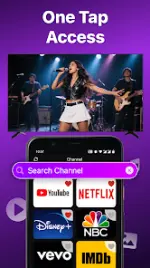
- Channel Shortcuts: Direct launch shortcuts for configured favorite channels.
- Screen Mirroring: Smart view screen sharing from the mobile device to the TV.
- Media Casting: Streaming of local photos and videos from the device storage to the television.
Connection Guide & Troubleshooting
Connection Steps
- Ensure the Android smartphone and the Roku device are connected to the same Wi-Fi network.
- Launch the application.
- Select the target Roku device from the discovered list to establish the connection.
Troubleshooting
- Discovery Issues: Verify both devices are operating on the same Wi-Fi SSID.
- Connection Failures: Reinstalling the application and power-cycling the TV resolves most connectivity bugs.