 PH
PH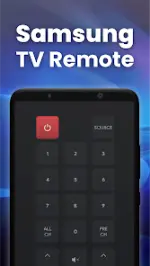
App Overview
| Category | Details |
|---|---|
| App Name | Smart Remote Control for SAMSUNG TV |
| Version | v2.2.1 b27 |
| OS Requirement | Android 6.0+ |
| Developer / Modder | TurboMods (Premium Unlocked) |
Connection Guide
- Navigate to the main interface of the application.
- Select the device button located in the top right corner to populate the device list.
- Select the target Samsung Smart TV from the list to establish the connection.
Key Features
- Auto-Discovery: Automatically detects Samsung Smart TVs sharing the same Wi-Fi network.
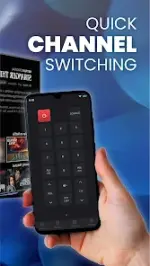
- Full Remote Emulation: Replicates original physical remote control functionality.
- Keyboard Input: Simplifies text input and search queries on the TV via the mobile device keyboard.
- Media & Content Casting: Supports casting local photos, local videos, and web videos directly to the TV.
- Screen Mirroring: Mirrors the Android device screen onto the Smart TV.
- App Integration: Direct launching of installed TV applications (e.g., YouTube, Netflix, Spotify, Prime Video).
Interface Architecture
| Screen | Functionality |
|---|---|
| Selection Screen | Allows the user to choose from multiple remote control layouts. |
| Discovery Screen | Displays all network-connected devices available for pairing. |
| Remote Control Screen | Hosts the active virtual remote layout for TV interaction. |
| Touch Pad Screen | Provides a navigation touchpad and a customizable top strip for pinning frequently used buttons. |
| Apps Screen | Lists and launches applications installed on the connected Smart TV. |
| Media Screen | Dedicated interface for media playback manipulation. |
Troubleshooting
- Network Alignment: Ensure both the mobile device and the Smart TV are connected to the exact same Wi-Fi network.
- Connection Resets: Reinstalling the application or power-cycling the TV resolves the majority of pairing failures.
- Software Updates: Maintain the latest application version to prevent compatibility bugs.
Technical Mod Information
- Premium features unlocked.
- All debug information removed.
- Credit advertisements present.
Main link: Download Mirror link1: DownloadDisclaimer: This is an unofficial third-party application developed for compatibility with Samsung TVs and is not affiliated with or endorsed by Samsung.