 PH
PH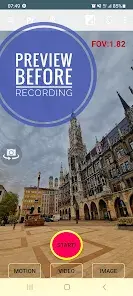
App Overview
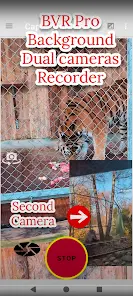
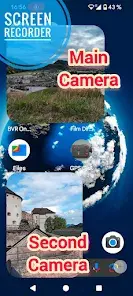
Background Video Recorder Pro (BVR Pro) is a background utility application designed for video recording, continuous image capturing, and AI-powered motion detection. The app allows users to operate the camera discreetly or while using other applications, with controls accessible via home screen widgets or hardware volume buttons.Core Technical Details
| Parameter | Specification |
|---|---|
| Current Version | v17.7.55 (Build 17755) |
| Minimum OS Requirement | Android 6.0+ |
| Platform Support | Android, Android TV, Wear OS 4.0+ |
| License Type | Free (with Premium tier available) |
Key Features
Background & AI Operations
- Background Recording: Continuous video recording, image capturing, and motion detection executed in the background.
- Object Tracking & Motion Detection: AI-driven tracking for people, faces, animals, and text (OCR). Trigger actions upon detection include image capture, sound notifications, and video recording (Premium).
- Multi-Camera Capabilities: Supports dual-camera operation on compatible devices. Android TV supports real-time 30 FPS streaming and simultaneous monitoring of up to 4 cameras.
- Baby Monitoring & Home Security: Remote monitoring of up to 4 camera feeds via a secured website interface.
- Camera Controls: Real-time background filters, digital zoom, flash control, camera flipping, audio transmission, and schedule recording options.
Quick Actions
- Big Red Button: Initiates standard background video recording.
- Big Green Button: Activates motion detection mode.
- Big Orange Button: Triggers burst image capturing.
App Permissions
- Camera & Record Audio: Required for video and audio capture.
- Write to External Storage: Required for saving recorded media files.
- Manage Overlay Permission: Required to display the camera preview window.
- Ignore Battery Optimization: Required to prevent the Android system from terminating the background recording service.
- Location (Optional): Used to embed geotags into video files.
Premium Tier vs. Free Tier
| Feature | Free Tier | Premium Tier |
|---|---|---|
| Advertising | Supported (Banner & Pop-up ads) | Ad-free experience |
| Storage Destination | Internal Storage | Internal Storage & Removable SD Card |
| Wear OS Support | No | Yes (Wear OS 4.0+) |
| Baby Monitoring | Single Camera | Up to 4 Cameras Simultaneously |
| Motion Detection Actions | Image Capture & Audio Alerts | Image Capture, Audio Alerts, & Video Recording |
| Cloud Integration | No | Google Drive Upload |
| Schedule Recording | One-time | Repeatable Schedules |
Recent Updates (What's New)
- CameraX Integration: Added support for real-time filters, HDR, dual-camera setups, and automated time/date text overlays.
- AI Enhancements: Implemented conversational AI capabilities and background removal/isolation filters.
- Bug Fixes: Resolved issues related to Google Drive automated uploads.
- Ad Optimization: Reduced frequency of pop-up ads; decreased the size and volume of banner ads for non-premium users.
Technical Best Practices & Constraints
- App Conflicts: Face Unlock must be disabled during operation, as two applications cannot access the hardware camera sensor concurrently. Do not open other camera applications while background recording is active.
- Configuration: For optimal video quality, adjust the bitrate settings within the application. Avoid beta resolutions if system stability is required.
- Frame Rates: Utilizing long exposure configurations will result in lower video frame rates.