 PH
PH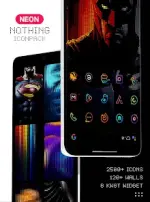
Application Overview
- App Name: Neon : Nothing IconPack (Neon : Dots Iconpack)
- Version: v4.5 [Patched] [Premium]
- Android Compatibility: 5.0 and up
- Total Assets: 4400+ icons, 100+ wallpapers, 8 KWGT widgets
Technical Specifications & Features
Core Features
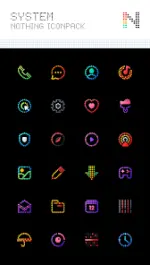
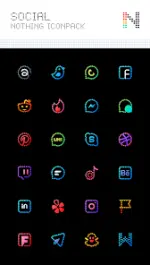
- Design Aesthetic: Nothing Brand-inspired Dots Theme with a neon color scheme optimized for dark styles and AMOLED screens.
- Dashboard: Material Dashboard featuring icon preview, search functionality, and an automated icon request tool.
- Icon Variations: Category-based icons, custom folder icons, custom app drawer icons, and alternative icon choices.
- System Integration: Dynamic Calendar support.
Release Notes (v4.5)
- Added 50+ new icons (bringing the total to over 4400+ assets).
- Updated and added new activities.
Configuration & Compatibility
Recommended Configurations (Nova Launcher)
- Icon Size: 70%-100%
- Icon Normalization: Off
- Legacy Icons: Turn off "Reshape Legacy Icons" (Nova Settings > Look & Feel > Icon Style)
- Background: Dark/AMOLED wallpapers recommended.
Launcher Compatibility Matrix
| Direct Apply Supported | Apply via Launcher Settings Only | Native OS Support (No Launcher Required) |
|---|---|---|
| Action Launcher ADW Launcher Apex Launcher Atom Launcher Aviate Launcher CM Theme Engine Evie Launcher GO Launcher Holo Launcher Holo Launcher HD L Launcher Lawnchair LG Home Lucid Launcher M Launcher Mini Launcher Next Launcher Nougat Launcher Nova Launcher (Recommended) Smart Launcher Solo Launcher V Launcher ZenUI Launcher Zero Launcher ABC Launcher | Arrow Launcher ASAP Launcher Cobo Launcher Flick Launcher iTop Launcher KK Launcher Line Launcher Mesh Launcher MN Launcher New Launcher Open Launcher Peek Launcher Poco Launcher S Launcher Launch by Quixey Launcher Z Launcher | OnePlus OS Poco OS (And similar OEM skins) |
Installation Instructions
- Install a compatible launcher from the list above.
- Open the Nothing IconPack dashboard.
- Navigate to the Apply section and select the installed launcher.
- If the launcher is not listed in the dashboard, apply the icon pack manually through the target launcher's theme/icon settings menu.