 PH
PH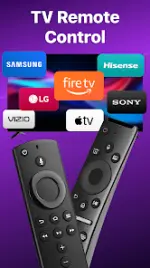
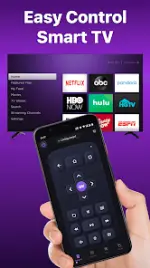
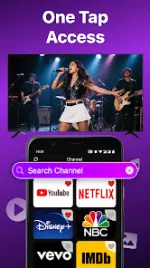
Remote for Roku: TV Remote v1.8.1 (Premium)
Technical Specifications
| Feature | Detail |
| OS Requirement | Android 7.0+ |
| Version | v1.8.1 b1297 |
| Connectivity | WiFi (Same network required) |
| Status | Premium Features Unlocked / Debug Info Removed |
Compatibility
| Device Category | Supported Models / Brands |
| Roku Players | E×ρréšš, E×ρréšš+, Streaming Stick, Streaming Stick+, Premiere, Premiere+, Ultra |
| Roku TVs | TCL, Hisense, Philips, Sharp, Insignia, Hitachi, Element, RCA, Onn |
Core Features
- Power & Volume Control: Remote power toggling and volume adjustment via mobile device.
- Touchpad Navigation: Scrolling and swiping interface for Roku UI navigation.
- Keyboard Input: Virtual keyboard for text entry, passwords, and search queries.
- Channel Management: Direct channel launching and customizable shortcuts.
- Playback Controls: Standard Play/Pause, Fast Forward, and Rewind functionality.
- Casting & Mirroring: Support for local photo/video casting and real-time screen mirroring.
Connection Guide
- Ensure the Android device and Roku hardware are connected to the same WiFi network.
- Launch the application and select the target Roku device from the list.
- Once paired, the interface will mirror the physical remote functions.
Troubleshooting
- Network Visibility: The app requires the mobile device and Roku to share an identical SSID/WiFi band.
- Connection Errors: If the device is not detected, reinstall the application and reboot the Roku hardware.
Release Notes (v1.8.1)
- Optimized user experience and UI responsiveness.
- Enhanced Remote & Cast stability.
- Premium features unlocked (TurboMods).
Legal Disclaimer
Remote for Roku: TV Remote is not an official product of Roku, Inc. It is not affiliated with or endorsed by Roku, Inc.Download