 PH
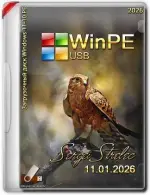
PHWinPE 11-10 Sergei Strelec (x64) 2026.03.03
Overview
WinPE 11-10 Sergei Strelec is a powerful bootable Windows PE environment designed for system recovery, disk management, backup, maintenance, and troubleshooting. This latest 2026.03.03 release includes updated utilities, improved hardware compatibility, and enhanced support for modern UEFI systems.Perfect for IT technicians, system administrators, and advanced users who need an all-in-one rescue and maintenance toolkit.
Key Features
- Bootable Windows PE 11 & PE 10 Environment
- Supports UEFI and Legacy BIOS
- Large collection of disk partition tools
- Backup and recovery utilities
- Password reset and registry editors
- Hardware diagnostics and benchmarking tools
- Network and remote access utilities
- Antivirus and malware removal tools
- File recovery and data rescue applications
- Modern driver support for newer hardware
Included Utilities
Some popular tools included in this build:
- Acronis True Image
- Macrium Reflect
- AOMEI Partition Assistant
- EaseUS Partition Master
- DiskGenius
- R-Studio
- Rufus
- CrystalDiskInfo
- HWMonitor
- 7-Zip
- Total Commander
- WinNTSetup
- BootICE
…and many more system maintenance and recovery applications.
System Requirements
- 64-bit CPU
- Minimum 2GB RAM (4GB recommended)
- USB flash drive (8GB or larger recommended)
- BIOS or UEFI firmware support
How to Create Bootable USB
- Download the ISO file.
- *********** USB flash drive.
- Use tools like Rufus or Ventoy to create a bootable USB.
- Boot your PC from USB.
- Launch WinPE Sergei Strelec environment.
What's New in Version 2026.03.03
- Updated Windows PE core
- Improved NVMe and RAID driver compatibility
- Refreshed backup and recovery tools
- Added support for newer Intel and AMD platforms
- Minor bug fixes and performance improvements
- Updated portable software packages
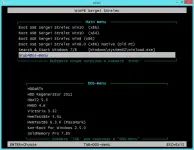
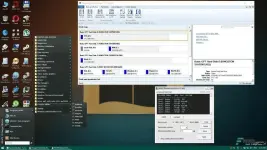
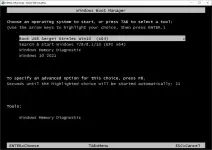
Screenshots
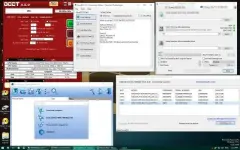
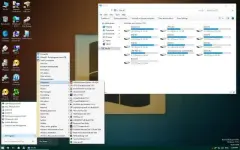
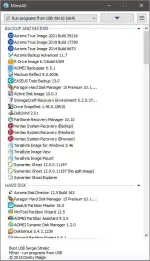
Notes
- Disable Secure Boot if boot issues occur.
- Use Ventoy for easier multi-ISO boot management.
- Always back up important files before performing disk operations.
Disclaimer
This software is intended for educational, maintenance, and recovery purposes only. Please support original software developers and use licensed software where required.