 PH
PremiumCourses
Eternal Poster
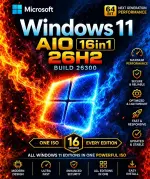
Free Download Windows 11 26H2 Build 26300.9974 (No TPM Required) Aio 16in1 Preactivated Multilingual November 2026 | 7.30 GB
Windows 11 26H2 is a Windows operating system release built on the servicing foundation of Windows 11 versions 25H2 and 24H2. This edition provides a collection of 16 Windows 11 editions in one installation package, with preactivation and no TPM requirement as specified in this release.
The November 2026 build includes features and improvements delivered through previous monthly updates, along with capabilities enabled for version 26H2. It is designed to provide a familiar update and deployment experience, with an enablement package available for eligible devices running supported Windows 11 versions.
Software Overview
Windows 11 26H2 continues the shared servicing platform used by Windows 11 25H2 and 24H2. This approach allows eligible devices to activate the new version through a relatively small enablement package, reducing installation time and minimizing disruption. In most supported scenarios, the process requires a single restart.
This AIO release combines 16 editions, covering Home, Pro, Enterprise, Education, and specialized workstation and IoT variants. It also includes several improvements to Windows settings backup, taskbar interactions, and File Explorer, providing updated system functionality across supported editions.
Key Features
- Windows 11 version 26H2, Build 26300.9974.
- AIO package containing 16 Windows 11 editions.
- No TPM requirement, as specified by this release.
- Preactivated installation.
- Multilingual support with 14 listed language options.
- Shared servicing foundation with Windows 11 versions 25H2 and 24H2.
- Enablement package deployment for eligible devices.
- Fast installation with a single restart in most supported scenarios.
- Windows settings backup enabled by default for eligible commercial devices.
- App-specific actions available through taskbar experiences.
- File Explorer usability and navigation enhancements.
- Consistent management, security, and update experiences across supported releases.
- Support for multiple Windows editions, including Home, Pro, Enterprise, Education, and IoT variants.
- Windows 11 Home
- Windows 11 Home N
- Windows 11 Pro
- Windows 11 Pro N
- Windows 11 Home Single Language
- Windows 11 Enterprise
- Windows 11 IoT Enterprise
- Windows 11 IoT Enterprise Subscription
- Windows 11 Enterprise multi-session
- Windows 11 Education
- Windows 11 Pro Education
- Windows 11 Pro for Workstations
- Windows 11 Enterprise N
- Windows 11 Education N
- Windows 11 Pro Education N
- Windows 11 Pro N for Workstations
This AIO package provides multiple Windows 11 editions in a single release, making it convenient to select an edition for different installation needs. Its shared servicing foundation also supports a streamlined upgrade path for eligible Windows 11 24H2 and 25H2 devices.
The included improvements to settings backup, taskbar actions, and File Explorer provide additional functionality while maintaining a familiar Windows update and management experience.
What's New
Windows settings backup
Windows settings backup is enabled by default for eligible commercial devices. It helps preserve supported Windows settings and Microsoft Store app lists for recovery and device replacement scenarios. Existing administrator-configured policies remain honored.
App-specific taskbar actions
App-specific actions are enabled by default for commercial devices, allowing users to access common application actions directly through taskbar experiences.
File Explorer enhancements
File Explorer improvements previously controlled by temporary commercial controls are enabled by default, focusing on navigation and usability.
Servicing and deployment improvements
Eligible devices running Windows 11 24H2 and 25H2 can move to version 26H2 through an enablement package. Installation is designed to be quick and typically requires a single restart.
System Requirements
- Processor: 2 GHz or faster
- RAM: 2 GB
- Free Disk Space: 15 GB
- Graphics Card: DirectX 9 graphics device or newer
- Touch Support: A tablet or monitor supporting multitouch is required to use touch features.
- Internet and Display: An active Internet connection and a minimum screen resolution of 1024 x 768 pixels are required to access the Microsoft Store and download and run apps.
- Additional requirements may apply to certain features.
What is Windows 11 26H2?
Windows 11 26H2 is a feature update built on the same servicing foundation as Windows 11 25H2 and 24H2.
How many editions are included in this AIO release?
This release includes 16 editions, covering Home, Pro, Enterprise, Education, and specialized IoT and workstation versions.
Does this release require TPM?
The release is described as requiring no TPM.
Which languages are included?
The listed languages are Arabic, English, German, Greek, French, Spanish, Italian, Portuguese-Portugal, Portuguese-Brazil, Turkish, Dutch, Czech, and Norwegian.
Can eligible Windows 11 devices upgrade through an enablement package?
Yes. Eligible devices running Windows 11 24H2 or 25H2 can use an enablement package to move to version 26H2.
Home Page
Code:
https://www.microsoft.com- Software Name: Windows 11
- Version: 26H2 Build 26300.9974
- Architecture: x64
- Languages: Arabic,English,German,Greek,French,Spanish,Italian,Portuguese-Portuguese,Portuguese-Brazil,Turkish,Dutch,Czech,Norwegian
- License Type: Pre-activated
- File Size: 7.30 GB
Download ( Rapidgator )
You do not have permission to view the full content of this post. Log in or register now.