 PH
PH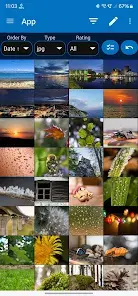
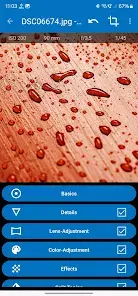
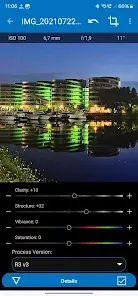
Photo Mate R3 v4.1.2 (Build 215)
Photo Mate is a comprehensive image organizer, library manager, and non-destructive RAW editor designed for Android. It supports a wide array of professional workflows, including metadata management, side-by-side image comparison, and advanced post-processing.Technical Specifications
| Category | Details |
|---|---|
| Version | 4.1.2 (Build 215) |
| Minimum OS | Android 7.0+ |
| Architecture | Mod Extra [Unlocked] |
| Core Functions | Library management, RAW development, Batch processing |
| Metadata | XMP Sidefiles (Universal compatibility), IPTC (Title/Description) |
Key Features
1. Image Organization & Library
- Filtering: Sort by metadata (Camera, Aperture, ISO) or custom attributes (Ratings, Labels, Keywords).
- XMP Integration: Generates universal XMP-sidefiles compatible with desktop software.
- IPTC Editing: Direct modification of Title and Description fields.
2. Format Support & Viewing
- Standard Formats: JPG, PNG, PSD.
- RAW Support: Canon (CR2, CRW), Nikon (NEF), Sony (ARW), Adobe DNG, Panasonic (RW2), Olympus (ORF), and others.
- Comparison Mode: Side-by-side image viewing and rating for selection workflows.
3. Non-Destructive Editing
- Standard Adjustments: Exposure, Contrast, Highlights, Shadows, Clarity, Vibrance.
- Lens Corrections: Automatic correction of distortion, vignetting, and chromatic aberration via an integrated Lens-Collection.
- Advanced Tools: Curves, Layer-based adjustments (Gradient, Brush, Lasso, Threshold).
4. Additional Utilities
- Batch Processing: Mass conversion and editing.
- Import/Export: Direct camera import and network access.
- Advanced Composition: Stacking and combining images.
Change Log (v4.1.2)
- New Features: Auto Segmentation (Beta) with Bokeh Depth of Field.
- System: Android 15 compatibility improvements; language refinements.
- Performance: Up to 35% improvement in Color Noise performance; general performance optimizations.
- UI/UX: New layout design with updated colors and interface cleanup.
- Fixes: Resolved renaming/gallery view issues; fixed duplicate XMP file creation; corrected editing requests from external apps.
- Integration: Support for opening PMX files via file explorers.
Mod Details
- Premium/ρáíd features unlocked.
- Ads permissions, services, and providers removed.
- Unwanted permissions, receivers, and providers disabled.
- Debug code removed.