 PH
PH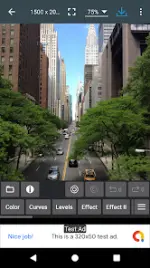
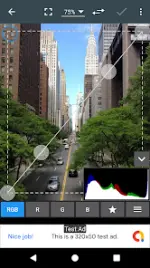
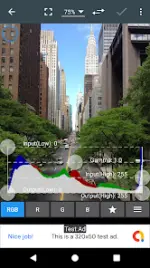
Photo Editor v13.0 [Unlocked] [Mod Extra]
Photo Editor is a comprehensive mobile image manipulation tool designed for users familiar with desktop-grade photography workflows. It provides extensive control over color parameters, geometric corrections, and metadata management.Technical Specifications
| Category | Requirement / Version |
|---|---|
| Android Version | 8.0+ |
| App Version | 13.0 |
| Interface | Touch and Pinch-to-Zoom |
| Ad Status | Premium/Unlocked (Ad-free) |
Core Functionality
Color and Exposure Control- Basic Adjustments: Exposure, brightness, contrast, saturation, temperature, tint, and hue.
- Advanced Tools: Curves and Levels for fine-tuning color distributions.
- Corrections: Perspective, lens distortion, red-eye removal, white balance, and backlight adjustment.
- General: Rotate, straighten, crop, resize, frame, and denoise.
- Artistic: Gamma correction, vibrance, oil paint, sketch, black & white high contrast, and sepia.
- Manipulation: Clone, pixelate, cut out, and freehand drawing.
- Overlays: Addition of text, images, or vector shapes.
- Batch Operations: Batch processing, ZIP compression, and puzzle-style cropping.
- Utilities: Webpage capture, video capture, PDF capture, GIF frame extractor, and SVG rasterizer.
- Comparison: Side-by-side photo comparison tool.
File Management and Metadata
| Feature | Details |
|---|---|
| Supported Formats | JPEG, PNG, GIF, WebP, PDF |
| Metadata Support | View, edit, or delete EXIF, IPTC, and XMP data |
| Output Options | Internal Gallery, SD card, Wallpaper, Animated GIF |
Version 13.0 Changelog
- Crash and bug fixes.
Modification Details
- Premium/ρáíd features unlocked.
- Removal of Ads permissions, services, providers, and layouts.
- Disabled Analytics, Crashlytics, and Firebase.
- Removal of debug code and unwanted Permissions/Receivers/Services.