 PH
PH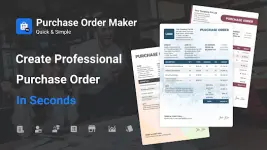
Purchase Order Maker: Quick PO (Pro) v1.3.5
Purchase Order Maker is a specialized utility designed for the generation, management, and tracking of business procurement documents. The application streamlines the purchasing workflow through professional templates and automated report generation.Technical Specifications
| Category | Details |
|---|---|
| Version | 1.3.5 |
| Build Tier | Pro / Premium Unlocked |
| Architecture | Universal |
| Compatibility | Android 12L and up |
| Modification | TRUMods (Debug codes removed, optimized file structure) |
Core Functionality
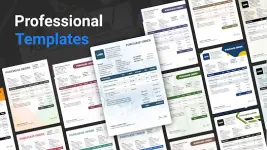
- Document Generation: Create, duplicate, and manage purchase orders using professional templates. Includes real-time previewing and PDF export capabilities.
- Business Customization: Support for custom business logos, digital signatures, and configurable terms and conditions.
- Vendor Management: Integrated database for storing vendor and recipient contact information.
- Localization: Support for multiple currencies, varying currency formats, and diverse date formats.
- Multi-Entity Support: Ability to create and manage purchase orders for multiple separate business entities within a single interface.
Tracking & Analytics
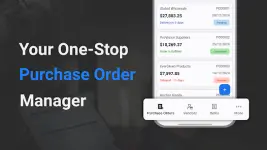
- Status Monitoring: Categorize and track orders as Pending, Delayed, Completed, or Canceled.
- Reporting Suite: Detailed procurement reports featuring graphical data visualizations for vendor performance and item trends.
- Data Export: Analytics and purchase orders can be exported directly to PDF for external auditing and analysis.
Feature Set
- Item Management: Define items by description, quantity, unit rate, and applicable tax.
- Communication: Direct email integration for sending generated POs to vendors.
- Archiving: Dedicated archive feature for organizational maintenance.
- Search & Sort: Advanced sorting and enhanced search functionality for document retrieval.
- Cloud Integration: Managed backup and restoration via Google Drive.
Workflow Overview
- Initialization: Select the "+" icon to initiate a new document.
- Data Entry: Input business details, vendor information, and line items.
- Finalization: Save the purchase order and dispatch it via the integrated email tool.
What's New
- Implemented Archive feature for document organization.
- Added advanced sorting options for purchase orders.
- Enhanced search algorithm and UI.
- Refined Google Drive backup management.
- General performance improvements and stability fixes.