 PH
PH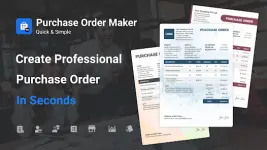
App Overview: Purchase Order Maker v1.3.2 [Pro]
Purchase Order Maker is a streamlined procurement management tool designed for Android 12L and up. It facilitates the creation, tracking, and management of professional purchase orders with integrated reporting and multi-business support.Technical Specifications
| Category | Details |
|---|---|
| Version | 1.3.2 |
| Minimum OS | Android 12L+ |
| Architecture | Universal (CPU) |
| Mod Status | Pro / ρáíd Features Unlocked |
| Optimization | Debug codes removed; redundant files cleaned |
| Developer/Modder | TRUMods |
Core Features
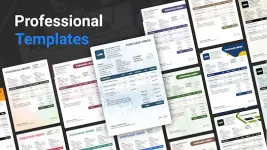
Generation & Management- Professional Templates: Preset layouts for rapid PO generation.
- Real-time Preview: Live visual feedback during the creation process.
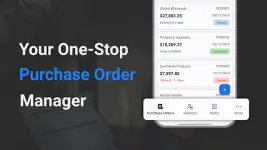
- Workflow Tracking: Status monitoring for Pending, Delayed, Completed, and Canceled orders.
- Duplication: Clone existing purchase orders for recurring transactions.
- Multi-Business Support: Manage separate entities and their respective orders within a single interface.
- Branding: Support for business logos and digital signatures.
- Global Readiness: Support for multiple currencies, date formats, and currency formatting.
- Detailed Documentation: Options to add custom notes and Terms & Conditions.
- Itemization: Granular control over item descriptions, quantities, rates, and tax calculations.
- Reporting: Analytics on purchase performance, vendor performance, and item trends via graphical data.
- Database Management: Dedicated storage for vendor and recipient contact information.
- Export Options: Generate and email purchase orders as PDF files directly to vendors.
Change Log (v1.3.2)
- Performance: General app improvements and stability enhancements.
- Bug Fixes: Resolved identified functional issues.
Operation Workflow
- Initialize: Select the "+" icon to create a new entry.
- Input: Enter business information, vendor details, and itemized data.
- Finalize: Save the record and dispatch the generated PDF to the vendor.