 PH
PH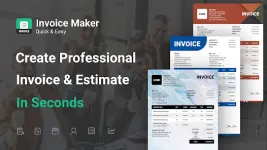
Invoice Maker: Quick & Easy v1.6.7 [Pro]
Invoice Maker is a dedicated billing and estimation utility designed for freelancers and small business owners. The application facilitates the creation of professional financial documents, tracking of payment statuses, and generation of business performance reports.Technical Specifications
| Category | Details |
|---|---|
| Version | v1.6.7 |
| Compatibility | Android 12L and up |
| Architecture | Universal |
| Status | Pro / ρáíd Features Unlocked |
| Modifications | Cleaned files, Debug codes removed, Premium enabled |
Core Features
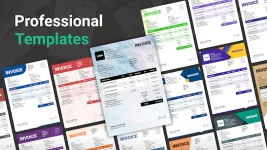
- Document Creation: Generate professional invoices and estimates using built-in templates.
- Workflow Automation: Convert estimates to invoices with a single tap.
- Branding & Authentication: Support for custom business logos and digital signatures.
- Global Support: Compatibility with multiple currencies and customizable date/currency formats.
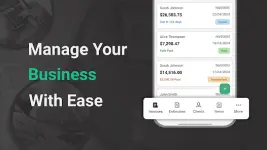
- Tracking: Monitor invoice statuses (Unpaid, ρáíd, Partially ρáíd, Overdue) and estimate statuses (Pending, Canceled, Approved, Overdue).
- Export & Sharing: Export documents to PDF or share invoices as images.
- Client Management: Integrated database for client details and contact information.
- Reporting: Intuitive reports and graphs for sales trends, client data, and item popularity.
- Multi-Business: Capability to manage documents for multiple business entities.
New in Version 1.6.7
| Feature | Description |
|---|---|
| Delivery Notes | New module for creating and managing delivery documentation. |
| Expense Tracking | Track expenses with vendors, clients, items, and receipt attachments. |
| Dashboards | Added Expense and Net Cash Flow cards to main and client dashboards. |
| Statements | "ρáíd On" column added to Client Detail Statements. |
| Notes | Support for adding custom notes to invoices and other documents. |
| Tax/Discount | New setting to display both percentage and amount for item taxes and discounts. |
Application Workflow
- Initialize Create Invoice.
- Input document details (items, descriptions, quantities, rates, and taxes).
- Preview in real-time.
- Save and distribute via email or PDF export.