 PH
PH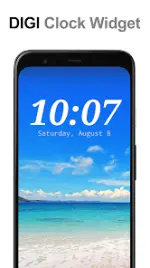
DIGI Clock Widget Plus
DIGI Clock Widget Plus is a highly customizable, ad-free digital time and date widget suite designed for Android devices and tablets.Technical Specifications
| Category | Details |
|---|---|
| Android Version | 8.0+ (Ready for Honeycomb, ICS, Jelly Bean) |
| Architectures | arm64-v8a, armeabi-v7a |
| Screen DPIs | 160dpi, 240dpi, 320dpi, 480dpi, 640dpi |
| Languages | English (Supported); Improved RTL language support (v3.7.0) |
| Package Info | Untouched ρáíd APK; MD5: bf18e106b80ad6ea3c65b84c9641a2bf |
Available Widget Sizes
| Size | Device Optimization |
|---|---|
| 2x1 | Small / Standard |
| 4x1 | Wide (Optional seconds display) |
| 4x2 | Large / Standard |
| 5x2 | Optimized for Tablets and Galaxy Note |
| 6x3 | Optimized for Tablets |
Core Features
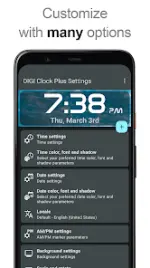
- Visual Customization:
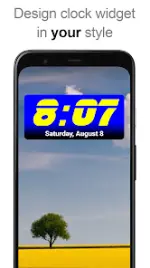
- 40 integrated fonts or use custom fonts from local storage.
- Independent color selection for time and date.
- Shadow effects with adjustable colors and outlines.
- Background customization via solid color, opacity (0-100%), or image selection.
- Functionality:
- Widget preview during setup (Android 4.0+).
- Selectable tap actions (Open alarm app, widget settings, or any installed app).
- 12/24 hour format and AM/PM toggle.
- Alarm icon display and seconds display (4x1 size).
- Localization:
- Locale preference for date output.
- Extensive date format presets plus custom date formatting.
Installation & Configuration
- Legacy Devices (Pre-Android 4.0): Long-press empty home screen space > Select Widgets > Select "DIGI Clock Plus".
- Modern Devices (Android 4.0+): All Apps > Widgets tab > Drag "DIGI Clock Plus" to the home screen.
- Lock Screen (Android 4.2+): Swipe to the leftmost lock screen page > "+" icon > Select "DIGI Clock Plus".
- Troubleshooting: If the widget is missing from the list, restart the device.
Operational Requirements
- Installation Location: Must be installed on internal storage. Moving the application to an SD card will disable widget functionality.
- Task Killers: Exclude the widget from task killers/battery optimizers to prevent time freezing.
- Updates: v3.6.1 introduced improved color and font pickers.