 PH
PH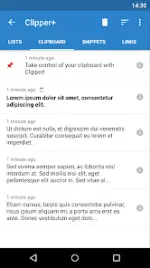
Clipper Plus: Clipboard Manager & History
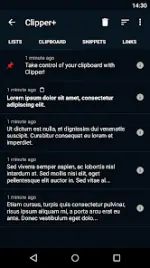
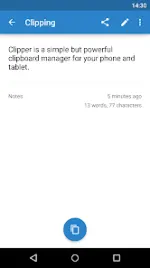
Clipper Plus is a clipboard management tool designed for Android devices to automate the collection and organization of copied text. It provides an extended clipboard history, allowing users to store, edit, and categorize snippets for efficient retrieval.Technical Specifications
| Attribute | Detail |
|---|---|
| Version | 6.0+ |
| License | ρáíd/Premium |
| Status | Untouched ρáíd APK (Original Hash Signature) |
| MD5 Digest | fed175f13d3520d2a0470577eaac85b1 |
| CPU Architectures | arm64-v8a, armeabi-v7a, x86, x86_64 |
| Screen DPIs | 120dpi, 160dpi, 240dpi, 320dpi, 480dpi, 640dpi |
Core Features
- Automated Collection: Seamlessly captures all copied text to the clipboard history without manual intervention.
- Unlimited History: Removes the 20-clipping limit found in the free version; users can disable automatic cleanup entirely.
- Dynamic Snippets: Support for dynamic values, such as inserting the current date and time into custom text snippets.
- Organization: Create custom folders to categorize clippings. Users can view, edit, and extract content directly within the app.
- Search Functionality: Built-in search tools to locate specific clippings within the history.
- Quick Access: Status bar integration for rapid access to the snippet collection and clipboard tools.
- Ad-Free Experience: The Plus version contains no advertisements.
Permissions & Data Management
- Storage (Photos/Media/Files): Utilized for the import and export of backup files to internal storage or an SD card.
- Migration: Users upgrading from the free version must launch Clipper Plus to initiate data migration before uninstalling the base application.
Recent Updates
- Optimization and bug fixes for compatibility with the latest Android versions.