 PH
PH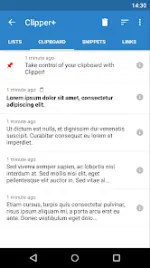
Clipper Plus v6.0+
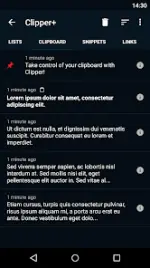
Clipper Plus is a clipboard management and history utility designed to automate the collection of copied text. It provides tools for organizing, editing, and retrieving snippets through a structured interface and system-level integration.Technical Specifications
| Category | Details |
|---|---|
| Android Version | 6.0+ |
| Architecture | arm64-v8a, armeabi-v7a, x86, x86_64 |
| Screen DPI | 120dpi, 160dpi, 240dpi, 320dpi, 480dpi, 640dpi |
| MD5 Digest | fed175f13d3520d2a0470577eaac85b1 |
| Status | Untouched ρáíd APK (Original Hash Signature) |
Key Features
- Automated History: Seamlessly captures all copied text; extends native clipboard functionality beyond a single entry.
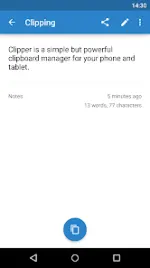
- Organization: Define custom folders for categorizing clippings; view, edit, and extract specific content.
- Dynamic Snippets: Insert real-time date and time values into custom text templates.
- Advanced Search: Dedicated utility to locate specific clippings within the history.
- Access Management: Status bar integration for rapid retrieval; supports manual collection toggles in settings.
- Backup/Restore: Import and export functionality for data migration via internal or SD storage.
Version Differences
| Feature | Clipper Free | Clipper Plus |
|---|---|---|
| Clipping Limit | Maximum 20 | Unlimited (Cleanup can be disabled) |
| Advertisements | Ad-supported | Ad-free |
| Dynamic Values | Not available | Supported (Date/Time) |
| Search Function | Basic | Full Clipping Search |
Migration & Permissions
- Data Migration: Clipper Plus installs as a separate package. Users upgrading from the Free version must launch Plus to initiate data migration before uninstalling the base app.
- Required Permissions:
Photos/media/filesis utilized exclusively for the import and export of backup files.
What's New
- Compatibility updates and bug fixes for recent Android versions.