 PH
PH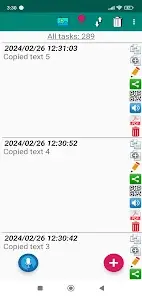
Application Overview
Clipboard CopyPaster Pro is a clipboard management utility designed to extend the functionality of the standard system clipboard. It automates the tracking of clipboard history and provides advanced data manipulation tools for texts, links, and images.Technical Specifications
| Parameter | Details |
|---|---|
| Version / Build | v59 (Build 59) |
| Status | ρáíd (Untouched, Premium features enabled) |
| Minimum OS | Android 5.1+ (Newer features require Android 10+) |
| CPU Architecture | Universal |
| Supported Screen DPIs | 120dpi, 160dpi, 240dpi, 320dpi, 480dpi, 640dpi |
| MD5 Certificate Digest | 83e771c6a5a82f4365fdef2f0fdfa1d9 |
Key Features
- Data Management: Automatically saves all copied data (texts, links, images) to a historical log. Allows editing, copying, pasting, and searching of stored entries.
- Note Creation: Support for manual note creation, voice-to-text note generation, and voice-guided note editing.
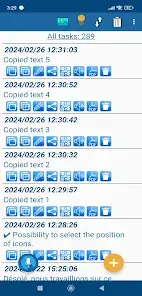
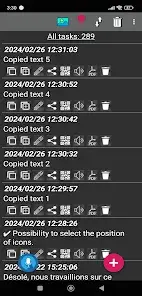
- Accessibility & Display: Features a floating window overlay that remains accessible on top of active applications. Includes customizable UI themes and configurable app icon positioning.
- Audio & Translation: Integrated text-to-speech engine for listening to saved text notes. Built-in text translation via Google Translate, with localization support for Spanish and French.
- Connectivity & Exchange: Generates and scans QR codes for data sharing. Supports favorites tagging.
- Security: Optional password protection for application entry with biometric authentication support.
- Data Portability: Features an export/import backup mechanism to transfer data between devices running the application.
Changelog / What's New
- Added compatibility optimizations for Android 10+.
- Added capability to intercept and save images directly from the clipboard.
- Added native text/image conversion to PDF format.
- Implemented a migration pathway to import data from the free version of Clipboard CopyPaster.
- Added support for biometric authentication for secure login.
- Added voice editing capabilities for notes.
- Integrated Google Translate functionality.
- Added Spanish and French language localizations.
- Added a "Favorites" categorization feature.
- Added configurable positioning for application icons.

.webp "(ditto) :(ditto):")
