 PH
PH
You do not have permission to view the full content of this post. Log in or register now.
-
Welcome to PHCorner Forums! Sign up for free to unlock full access and exclusive privileges, including:
- Asking questions about computer and mobile issues
- Discovering internet tips for your mobile network and computer
You are using an out of date browser. It may not display this or other websites correctly.
You should upgrade or use an alternative browser.
You should upgrade or use an alternative browser.
🛠️ Tools The101Rain 5G Globe Full Dump Firmware RA_M1_v7.2.02g + OpenWrt Firmware
naka open na yan react mo nlng[Hidden content]
oo lods thank you po,laking tulong po...naka open na yan react mo nlng

DummyTanong
Forum Guru
sino nka try na neto?na try mo na ba to ts?
openline padin buh to??if ibalik sa version nato ???Based on the available information, I can provide the necessary files and an overview of the process, but the detailed step-by-step flashing instructions are not included in the search results.
###Required Firmware Files
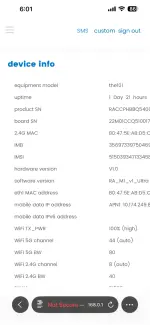
The necessary firmware for "The101Rain 5G Globe" is identified as Full Dump Firmware RA_M1_v7.2.02g . This package includes the following files:
RA_M1_v7.2.02g.bin(Main firmware file containing bootloader, kernel, and partitions)rom.tar.gz(Full OpenWrt firmware filesystem)
###General Firmware Loading Steps
While specific steps for your device are missing, loading firmware on routers typically follows a general process. Please be aware that this is a technical procedure risks can include "bricking" (permanently damaging) your device if not done correctly.
Here are the typical steps for similar router devices:
1. Preparation
- Download the firmware files mentioned above.
- Connect your computer to the router using an Ethernet cable (Wi-Fi is not recommended for flashing).
- It is highly advisable to back up your current router configuration.
2. Access the Router's Interface
* Open a web browser and enter the router's IP address (commonly192.168.1.1or192.168.0.1). You may need to check your router's label to confirm.
3. Perform the Firmware Update
- Log into the router's admin panel.
- Navigate to the "System Tools" or "Advanced" section and find the "Firmware Upgrade" or "Software Update" option.
- Choose the
RA_M1_v7.2.02g.binfile you downloaded.
4. Execute and Wait
- Start the upgrade process.
- Do not turn off the router or disconnect the cable until the process is 100% complete. This usually takes 3-5 minutes.
###Critical Next Steps
Since instructions for your specific model are missing, you need to find the precise method to avoid damaging the device. Try the following:
- Search in forums: Use site-specific searches on forums like Pinoy Internet and Technology Forums (PHCorner) or PDAClan for terms like "The101Rain flash tool" or "The101Rain 5G unbrick guide." These communities often post detailed tutorials.
- Check for tools: Look for a factory-specific flashing tool (like a ".exe" application) or a special recovery mode that requires pressing a reset button while powering on the device.
Best regards,
Deepseek
gerald janua
Honorary Poster
alam ko iba yung file para sa webui firmware update, ota file. may signature verification yun according sa /sbin/sysupgrade fileBased on the available information, I can provide the necessary files and an overview of the process, but the detailed step-by-step flashing instructions are not included in the search results.
###
The necessary firmware for "The101Rain 5G Globe" is identified as Full Dump Firmware RA_M1_v7.2.02g . This package includes the following files:
RA_M1_v7.2.02g.bin(Main firmware file containing bootloader, kernel, and partitions)rom.tar.gz(Full OpenWrt firmware filesystem)
###
While specific steps for your device are missing, loading firmware on routers typically follows a general process. Please be aware that this is a technical procedure risks can include "bricking" (permanently damaging) your device if not done correctly.
Here are the typical steps for similar router devices:
1. Preparation
- Download the firmware files mentioned above.
- Connect your computer to the router using an Ethernet cable (Wi-Fi is not recommended for flashing).
- It is highly advisable to back up your current router configuration.
2. Access the Router's Interface
* Open a web browser and enter the router's IP address (commonly192.168.1.1or192.168.0.1). You may need to check your router's label to confirm.
3. Perform the Firmware Update
- Log into the router's admin panel.
- Navigate to the "System Tools" or "Advanced" section and find the "Firmware Upgrade" or "Software Update" option.
- Choose the
RA_M1_v7.2.02g.binfile you downloaded.
4. Execute and Wait
- Start the upgrade process.
- Do not turn off the router or disconnect the cable until the process is 100% complete. This usually takes 3-5 minutes.
###
Since instructions for your specific model are missing, you need to find the precise method to avoid damaging the device. Try the following:
- Search in forums: Use site-specific searches on forums like Pinoy Internet and Technology Forums (PHCorner) or PDAClan for terms like "The101Rain flash tool" or "The101Rain 5G unbrick guide." These communities often post detailed tutorials.
- Check for tools: Look for a factory-specific flashing tool (like a ".exe" application) or a special recovery mode that requires pressing a reset button while powering on the device.
Best regards,
Deepseek
Similar threads
-
The101Rain 5G Globe Full Dump Firmware RA_M1_v7.2.03g + OpenWrt Firmware
- Started by Schemix
- Replies: 34
-
🛠️ Tools The101Rain 5G Globe Full Dump Firmware RA_MI_v7.00.02g
- Started by Schemix
- Replies: 31
-
The 101 Rain 5G Globe Full Dump Firmware RA_MI_v7.00.02g
- Started by ZendEYPHCH
- Replies: 1
-
👨🏫 Tutorial ZLT X17U 5G ROUTER - File system, firmware dump, unlocking
- Started by mimisiwewe
- Replies: 4
About this Thread
-
33Replies
-
4KViews
-
29Participants
Last reply from:
jeiiss
jeiiss
New Topics
-
5G internet in Rural areas
- Started by jeff2184
- Replies: 0
- 📡 Broadband, Modem, & Networking
-
Huawei eg8021v5 s2s
- Started by altumate_x
- Replies: 0
- 📡 Broadband, Modem, & Networking
-
Converge Wifi password
- Started by sweatmilk08
- Replies: 10
- 📡 Broadband, Modem, & Networking
-
PLDT HOME WIFI H155-382 Openline
- Started by sprak
- Replies: 8
- 📡 Broadband, Modem, & Networking
-
Mouse & keyboard for Converge Xperience Hub Sky TV
- Started by gamerxxxxx
- Replies: 0
- 📡 Broadband, Modem, & Networking
-
Globe zlt g202 reset
- Started by edlerod
- Replies: 0
- 📡 Broadband, Modem, & Networking
-
ZTE MF903 Smart Openline baka meron kayo
- Started by PHCMaxx
- Replies: 0
- 📡 Broadband, Modem, & Networking
-
Globe modem Lan ports
- Started by johnkill
- Replies: 15
- 📡 Broadband, Modem, & Networking
-
Paano kumita by sharing internet?
- Started by JsCoder3
- Replies: 7
- 📡 Broadband, Modem, & Networking
-
Successful Openline PLDT 5G+ H153-381
- Started by TheManWhoCantBeMoved
- Replies: 33
- 📡 Broadband, Modem, & Networking
Trending Topics
-
-
-
-
-
Rain101 (Anti TTL) Bypass Datamaxx 5GUnli / Sayall 5G Unli ( No Connection )
- Shuuuuuuuun
Replies: 75 -
-
-
-
-
Online now
- Members online
- 446
- Guests online
- 4,521
- Total visitors
- 4,967