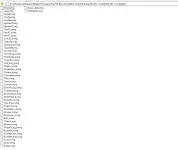
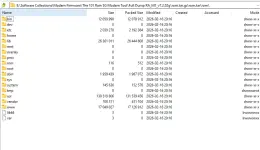
Based on the available information, I can provide the necessary files and an overview of the process, but the detailed step-by-step flashing instructions are not included in the search results.
###

Required Firmware Files
The necessary firmware for "The101Rain 5G Globe" is identified as
Full Dump Firmware RA_M1_v7.2.02g . This package includes the following files:
RA_M1_v7.2.02g.bin (Main firmware file containing bootloader, kernel, and partitions)rom.tar.gz (Full OpenWrt firmware filesystem)
###

General Firmware Loading Steps
While specific steps for your device are missing, loading firmware on routers typically follows a general process.
Please be aware that this is a technical procedure risks can include "bricking" (permanently damaging) your device if not done correctly.
Here are the typical steps for similar router devices:
1. Preparation
- Download the firmware files mentioned above.
- Connect your computer to the router using an Ethernet cable (Wi-Fi is not recommended for flashing).
- It is highly advisable to back up your current router configuration.
2. Access the Router's Interface
* Open a web browser and enter the router's IP address (commonly
192.168.1.1 or
192.168.0.1). You may need to check your router's label to confirm.
3. Perform the Firmware Update
- Log into the router's admin panel.
- Navigate to the "System Tools" or "Advanced" section and find the "Firmware Upgrade" or "Software Update" option.
- Choose the
RA_M1_v7.2.02g.bin file you downloaded.
4. Execute and Wait
- Start the upgrade process.
- Do not turn off the router or disconnect the cable until the process is 100% complete. This usually takes 3-5 minutes.
###

Critical Next Steps
Since instructions for your specific model are missing, you need to find the precise method to avoid damaging the device. Try the following:
- Search in forums: Use site-specific searches on forums like Pinoy Internet and Technology Forums (PHCorner) or PDAClan for terms like "The101Rain flash tool" or "The101Rain 5G unbrick guide." These communities often post detailed tutorials.
- Check for tools: Look for a factory-specific flashing tool (like a ".exe" application) or a special recovery mode that requires pressing a reset button while powering on the device.
Best regards,
Deepseek
 PH
PH