 PH
PH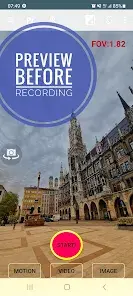
Background Video Recorder Pro (BVR Pro) v17.3.97
Background Video Recorder Pro is a utility for background video recording, continuous image capturing, and AI-driven motion detection. It supports advanced camera controls via hardware volume buttons, widgets, and remote monitoring capabilities.Technical Specifications
| Category | Details |
|---|---|
| Version | v17.3.97 (Build 17397) |
| OS Support | Android 7.0+; Android 14 & Wear OS 4.0 supported |
| Architecture | armeabi-v7a, arm64-v8a |
| New Features | CameraX integration (HDR, filters), Dual camera support, Gamma correction (Night Vision), Time/Date overlays |
Core Functionality
- Background Operations: Full background video recording, image capturing, and motion detection.
- AI Motion Detection: Object tracking for people, faces, animals, and Text OCR.
- Control Methods: "Big Red Button" (Record), "Big Green Button" (Motion), "Big Orange Button" (Burst Capture), hardware volume buttons, and preview widgets.
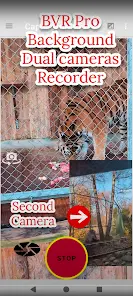
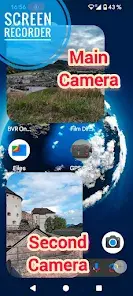
- Multi-Camera Support: Dual camera recording on supported hardware; Android TV support for 4-camera streaming at 30 FPS.
- Security & Monitoring: Baby monitoring and home security features via secured web interface (up to 4 cameras).
Feature Comparison
| Feature | Free Version | Premium Version |
|---|---|---|
| Ads | Supported | Ad-free |
| Storage | Internal Storage | Removable SD Card & Google Drive Upload |
| Motion Detection | Image Capture & Sound Notification | Video Recording on Detection |
| Monitoring | 1 Camera | Up to 4 Cameras simultaneously |
| Scheduling | Basic Recording | Repeat Schedule Recording |
| Wear OS | Not Included | Full Wear OS support |
Operational Requirements & Permissions
- Camera & Audio: Required for video and audio capture.
- Storage: Write access for saving media.
- Overlay: Required to display camera previews.
- Battery Optimization: Must be ignored to ensure background service continuity.
- Location (Optional): Used for geotagging video files.
Critical Usage Notes
- Compatibility: Disable "Face Unlock" as it prevents the app from accessing the camera sensor.
- Best Practices: Run the Permission Wizard upon first launch. Avoid opening other camera apps during active background recording.
- Optimization: For improved quality, adjust bitrates in settings. Long exposure settings will result in lower frame rates.
- Legacy Devices: Specific "Best Practice" profiles are available for motion detection on older hardware.