 PH
PH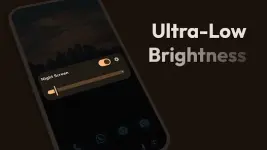
Night Screen: Ultra Dim Mode v1.4.1 [Pro]
Night Screen is a specialized utility designed to reduce screen brightness below the system's factory minimum settings. It incorporates multiple filtration modes to mitigate eye strain and improve sleep quality during low-light usage, such as night reading, web browsing, and gaming.Core Technical Specifications
| Feature | Details |
|---|---|
| Version | v1.4.1 [Pro] |
| Android OS | 7.0 and up |
| Interface | Material You Design (Light/Dark themes) |
| Permissions | Display Overlay (Required for color/brightness adjustment) |
Key Functionalities
- Dim Light Mode: Manually adjusts brightness levels below the standard system floor to reduce ocular stress.
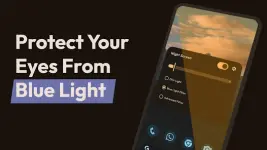
- Blue Light Filter (Reading Mode): Reduces blue light intensity to alleviate eye strain and minimize circadian rhythm disruption.
- Custom RGB Filter: Includes a color picker to apply specific shades and intensities to the display overlay.
- System Integration: Features quick-stop functionality via the notification shade and a responsive brightness slider.
Features & Tools
- Global Dimming: Applies filters across the entire screen area.
- Unified Interface: Access all filtration modes and RGB settings from a single dashboard.
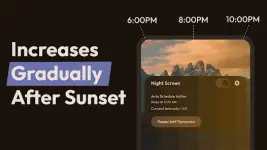
- Auto-Schedule: Automated activation and deactivation based on user-defined times.
- Pro Features: Includes Premium unlocked features and an ad-free experience.
Version 1.4.1 Changelog
- Auto Schedule Mode: Added functionality for automated filter timing.
- UI Updates: Slider mechanics updated for smoother interaction; UI migrated to latest Material You standards.
- Stability: Resolved landscape mode display issues and implemented various bug fixes for improved performance.