 PH
PH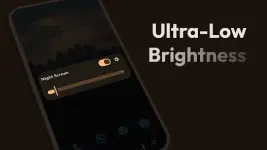
Night Screen: Ultra Dim Mode | Professional Utility
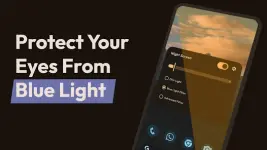
Night Screen is a specialized utility designed for Android 6.0 and higher that extends display dimming capabilities beyond standard system limitations. The application functions primarily as an overlay to mitigate ocular fatigue and improve sleep hygiene by reducing blue light emission. It provides a centralized interface for managing display luminance and color temperature, catering specifically to users engaging in low-light activities such as e-book reading, web browsing, and mobile gaming.Technical Specifications
| Feature | Details |
| Version | v1.3.9 [Pro] |
| Android Requirement | 6.0 and higher |
| Primary Function | Ultra-low luminance & Blue light filtration |
| Permissions | System Overlay (Required for real-time dimming) |
| Interface | Material You Design |
Key Features
- Advanced Dimming Control Overrides default minimum brightness levels to achieve ultra-low screen luminance for sensitive environments.
- Blue Light Filtration Reduces short-wave blue light intensity to alleviate eye strain and preserve natural circadian rhythms during night-time use.
- RGB Filter Customization Includes an integrated color picker for defining custom screen overlays to suit specific environmental lighting conditions.
- Interface and Accessibility Features both light and dark themes with a streamlined control toggle accessible via the notification shade for immediate adjustments.
- System Integration Utilizes the display overlay permission to apply consistent color and shade adjustments across all active applications and system menus.
Release Notes (v1.3.9)
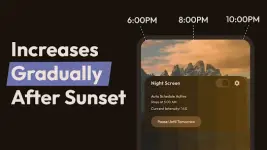
- Auto Schedule Mode: Introduced automated activation based on user-defined timeframes.
- Slider Optimization: Re-engineered the dimming slider to mirror the native system brightness control behavior.
- Visual Refresh: Full UI migration to the latest Material You design language.
- Orientation Fix: Resolved display issues previously encountered in landscape mode.
- Stability: Comprehensive bug fixes to improve performance across various hardware configurations.
Premium Modification Details
- Pro features unlocked for advanced dimming capabilities.
- Enhanced ultra-low brightness dimmer settings.
- Ad-free interface for a streamlined user experience.
- Full access to all RGB filter presets and customization tools.
Download