PH
PHDiego Mendoza
Elite
This custom GPT is built to help users create clean, professional, copy-paste-ready prompts for GPT Image 2. It works like a prompt engineer, image analyst, visual director, and editing-prompt specialist in one tool.
I built this custom GPT using OpenAI’s official You do not have permission to view the full content of this post. Log in or register now. as the foundation, then expanded it into a practical prompt-building assistant for GPT Image 2.
It follows the guide’s best practices around structured prompts, clear visual goals, photorealism, editing workflows, identity preservation, typography, compositing, product visuals, UI mockups, and infographics. I also added reusable workflows so users can turn rough ideas, uploaded images, or edit requests into clean, copy-paste-ready GPT Image 2 prompts.
What it does:
It turns rough ideas, vague prompts, uploaded image references, edit requests, product concepts, posters, ads, infographics, UI mockups, and character ideas into structured GPT Image 2 prompts.
Key capabilities:
- Converts messy ideas into clear visual prompts
- Improves prompts for photorealism, lighting, composition, and physical realism
- Creates edit-safe prompts with “change only / preserve exactly” instructions
- Supports identity preservation for people and characters
- Handles multi-image compositing with clear image roles
- Writes stronger prompts for posters, ads, product shots, UI mockups, infographics, and readable in-image text
- Removes weak AI prompt filler like “masterpiece,” “8K,” and keyword spam
- Translates Midjourney-style prompts into GPT Image 2 natural-language prompts
How to use it:
Just describe what you want to create, upload an image, paste a rough prompt, or explain what you want edited. The GPT will return a polished prompt with clear sections, constraints, and visual direction that you can copy directly into GPT Image 2.
Why use it:
It helps reduce random results, improves prompt clarity, protects important details during edits, and makes GPT Image 2 outputs more controlled, realistic, readable, and production-ready.
Key takeaway:
This GPT is for anyone who wants better GPT Image 2 results without learning advanced prompt engineering. It turns simple ideas into professional image-generation prompts.
Try and test it here:
GPT censored link (change ä to a)
You do not have permission to view the full content of this post. Log in or register now.
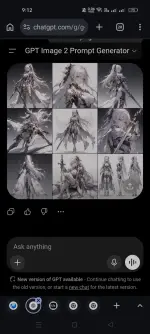
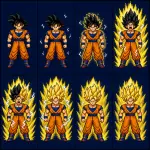
Examples:
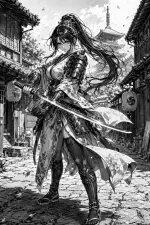
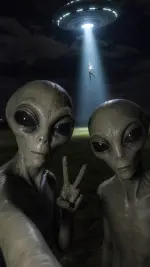
Your feedback is highly appreciated

Support my other posts 
- Google just KILLED Photoshop!
- 50 Brilliant Ways to Supercharge Creativity with Nano Banana
- Nano Banana Prompt Gallery
- AI Fashion Studio: AI Virtual Try-On Powered By Nano Banana
- Free Image Upscaler up to 16K Quality!
- Travel the World with Nano Banana
- AI Profile Picture Generator
- AI Snapshot Generator
- ᑕᕼᗩTGᑭT Prompt Packs
- Perplexity at Work
- DumPDF: PDF Editor
- LuxPDF: Open Source PDF Tools
- Gemini Edu ID Card Generator
- CanVâ Education Invite Link 2
- Create UNCENS0RED/NSFW AI Characters
- Student ID Card Prompt
- Nano Banana Pro Image And Prompt Gallery
- Create 4K Nano Banana Pro Images
- Create Pro-Grade Infographics
- IHatePDF: Toolkit For Everyday Documents
- Stunning Nano Banana Prompts Gallery
- Lyria 3: Google's AI Music Studio
- Meet Gemini 3.1 Pro
- Create City Map Posters
- Seedream 5.0 Lite: A Smart, Web-Aware AI Image Model
- Nano Banana 2: ProLevel Image Generation at Flash Speed
- GPT‑5.4: OpenAI’s New Flagship GPT‑5‑Series Model
- Inside MAI‑Image‑2
- Meet Luma Uni-1
- Microsoft's New MAI Stack
- VEO 3.1 Free on Google Vids
- StreameX: Free Movies, TV Shows and Anime
- Notebooks in Gemini
- Introducing Meta's Muse Spark
- 10 Google Gemini Photography Gems
- 12K+ Nano Banana Prompts
- Introducing Google Flow Music
- SplitAnImage Image Splitting Tool
- Introducing ChätGPT Image 2
- 1000+ GPT Image 2 Prompts
- Introducing GPT-5.5
- MeiGen Prompts Gallery
- Stream Movies Using The PlayIMDB Trick
- Structured Image Prompting Custom GPT