 PH
PH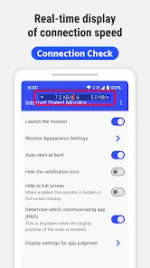
App Overview: Internet Speed Meter Live
Internet Speed Meter Live is a lightweight, battery-efficient utility designed for continuous, real-time monitoring of upload and download speeds. It utilizes an overlay display to provide network performance data without requiring users to switch away from active applications.Technical Specifications
| Feature | Details |
|---|---|
| Current Version | v1.1.4 [Pro] |
| Android Requirement | 5.0 and up (Raw data cites both 7.0+ and 5.0+; 5.0+ required for core functions) |
| Network Compatibility | WiFi, 4G, 5G, and VPN environments (Ver 1.0.4+) |
| Update Interval | User-customizable |
| Impact | Minimal battery and resource consumption |
Core Functionality
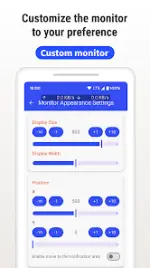
Monitoring & Display- Real-Time Overlay: Continuous visibility over other apps; adjustable position, size, color, and transparency.
- Dual Measurement: Separate tracking for upload and download speeds.
- Network Detection: Automatic distinction between WiFi and mobile data.
- System Integration: Auto-start on boot and notification panel controls for pausing/resuming.
| Feature | Free Version | PRO Version |
|---|---|---|
| Real-time Speed Display | Included | Included |
| Customizable Overlay | Included | Included |
| Notification Controls | Included | Included |
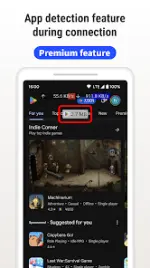
| App-Specific Tracking | Not Available | Identify network usage by specific apps |
| Ad Experience | Ad-supported | Ad-free |
Permissions & Privacy
- Display over other apps: Necessary for overlay functionality.
- Network access: Required for speed measurement and analytics.
- Device ID: Used by the PRO version to associate network usage with specific apps.
- WiFi connection info: Used to identify connection types.
- Run at startup: Facilitates automatic monitoring upon device boot.
- Privacy Note: The application processes speed measurement data only; it does not access or intercept internet communications or personal content.
Changelog (Ver 1.1.4)
- Stability: General improvements to application stability.
- Bug Fixes: Resolved several reported crash scenarios.
- Pro Features: Integration of premium app-tracking and ad-removal capabilities.
Main link: Download Mirror link1: DownloadOperational Note: Users may need to temporarily pause the overlay via the notification panel when entering passwords in certain browsers to ensure compatibility with security fields.