 PH
PH
App Overview
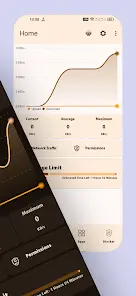
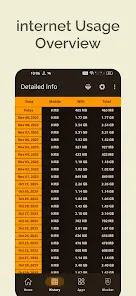
Internet Speed Meter is a network monitoring tool that displays real-time internet speed in the notification bar and tracks data consumption. The application includes customizable light and dark themes with dynamic color schemes, an integrated chart bar for visual data tracking, and application-specific usage monitoring. Data is stored locally for historical trend analysis.Technical Specifications & Metadata
| Parameter | Details |
|---|---|
| App Name | Bitvelo - Internet Speed Meter |
| Version | v2.1 (Build 153) |
| OS Requirement | Android 6.0 and up |
| Architecture | armeabi-v7a, arm64-v8a |
| UI Framework | Jetpack Compose (Material You design) |
Key Features
- Real-Time Monitoring: Continuous internet speed display in the notification bar.
- Data Visualization: Integrated chart bar for daily, weekly, and monthly data consumption patterns.
- App Usage Tracking: Identifies data consumption per application.
- Data Storage: Secures internet speed and usage logs locally for up to 30 days.
Changelog (What's New)
- Architecture Update: Rebuilt using Jetpack Compose with Material You design and dynamic theming support.
- Performance Optimizations: Enhanced execution speed with reduced battery consumption.
- Precision Updates: Higher accuracy for real-time speed readings.
- Historical Data Expansion: 30+ days history with infinite scroll capabilities.
- Analytical Insights: Last 15 hours speed trend analysis, along with peak speeds and high-usage hour metrics.
- Data Queries: Added capability to query logs using custom date ranges.
Modification Details
- Status: Pro / Premium / ρáíd features unlocked.
- Optimization: Removed useless files and all debug codes.
- Modder: TRUMods

.webp "(ditto) :(ditto):")
