 PH
PHdandanzoy2k15
Forum Expert
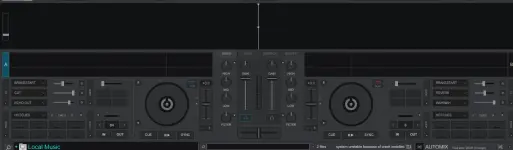
DJs use VirtualDJ to replace their turntables and CD players and use digital music instead of vinyl and CDs. Virtual DJ is compatible with time-coded pieces of vinyl that let you scratch your MP3s directly on an absolute turntable, and with many other DJ equipment, save for each song and an extensive collection of excellent automatically synchronized effects. Virtual DJ Pro Infinity has more functionality and lets you do new things that were only possible on DJ software, from scratching video clips to producing complex remixes.
Atomix VirtualDJ Pro (better known as VirtualDJ Pro or Virtual DJ Pro) has been used by millions of DJs and hobbies to replace their traditional tools and make their mixes incredibly faster. In addition, the Infinity version lets them add an unlimited number of cue points and save for each song automatically beat-synchronized effects.
- Play an unlimited number of samples simultaneously.
- Mix while the audience is still listening to the previous song
- Drag and drop samples directly onto the slots
- Automatically detect and fill the remix points
- Jump to the end of the current track with ease
- Audio components, like pitch-stretching, limiter, equalizers, filters, etc.
- Supported OS: Windows 10 / Windows 8.1 / Windows 7
- Processor: Multicore Intel Series or above, Xeon or AMD equivalent
- RAM: 4GB (8GB or more recommended)
- Free Hard Disk Space: 4GB or more recommended
1. Install the application
2. Generate a serial
3. Register the app
4. As always, make sure to have a firewall to block outbound
Note :
1. Install - TEAM R2R - R2R System v1.4.0
2. Don't forget to disable internet before installing Virtual Dj
You do not have permission to view the full content of this post. Log in or register now.