 PH
PH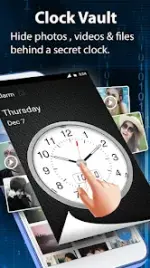


Technical Overview: Clock Vault
Clock Vault is a privacy-focused utility designed to conceal media and documents behind a functional clock interface. The application utilizes a time-based password system to secure a hidden gallery, preventing unauthorized access to local files.Application Specifications
| Category | Details |
| Compatibility | Android 7.0 and up |
| Primary Function | Photo and Video Encryption/Hiding |
| Interface | Functional Clock with Time-based Password |
| Storage | Local-only (No cloud synchronization) |
Core Features
- Media Encryption: Securely hide images and videos from the system gallery. Includes an integrated viewer with crop and rotate functionality.
- Decoy Vault: Support for an alternate "Fake Password" that opens a secondary, decoy gallery to protect the primary vault.
- Launcher s†éálth: Ability to disguise the application icon as other utilities, such as a Calculator, Music player, or Weather app.
- Private Browser: An in-app browser for downloading and locking media directly to the vault without leaving system-level tracks or history.
- Multimedia Support: Features a built-in video player supporting multiple formats and customizable album covers for organized file management.
- Biometric Support: Fingerprint unlock integration for compatible hardware.
Configuration and Operation
Initial Password Setup
- Launch the application; clock hands will default to 00:00.
- Manually adjust the hour and minute hands to the desired time password.
- Press the Center Button.
- Repeat the movement and press the Center Button again to confirm and initialize the vault.
Unlocking the Vault
- Press the Center Button to reset hands to 00:00.
- Move the clock hands to the previously configured time.
- Press the Center Button to validate and grant access.
Password Recovery
In the event of a forgotten password, launch the app and press the Center Button. Manually set the time to 10:10 and press the Center Button again. This initiates the recovery process (requires prior configuration of recovery options).Important Usage Notes
Data Persistence: All files are stored locally on the device. Media must be manually restored to the public gallery before uninstalling the application, factory resetting the device, or migrating to new hardware. Failure to do so will result in permanent data loss.
Version Information
Changelog: No new changes reported.Modification Details (HeroMods):
- Pro/ρáíd features unlocked.
- Graphics and resources optimized.
- Debug code and unnecessary files removed.
- Java
.sourcetags removed. - Architecture Support: Armeabi-v7a, Arm64-v8a.