 PH
PH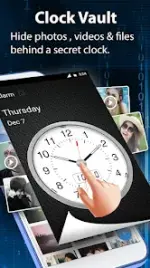

Clock Vault (Secret Photo & Video Locker) v73.0
Clock Vault is a privacy protection utility designed to secure media and documents behind a functional clock interface. The application utilizes a time-based password system to encrypt and hide files within a localized gallery vault.Application Specifications
| Category | Details |
| Version | 73.0 |
| Compatibility | Android 7.0 and up |
| Architecture | arm64-v8a, armeabi-v7a |
| Encryption Type | Time-based password / Fingerprint |
| Storage | Local (No cloud synchronization) |
Core Features
- Media Concealment: Securely hide photos and videos from the system gallery. Includes a native image viewer with crop and rotate functionality.
- Decoy Vault: Support for a secondary "Fake Password" to open a decoy vault, masking the primary encrypted storage.
- Launcher s†éálth: Ability to disguise the application icon as a Calculator, Music, or Weather app.
- Integrated Private Browser: In-app browser for downloading media directly into the vault without system history logs.
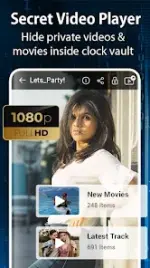
- Multimedia Support: Built-in video player supporting multiple formats and a customizable folder/album cover system.
- Biometric Security: Supports fingerprint unlocking on compatible hardware.
Operational Procedures
Initial Password Setup
- Launch the application; clock hands will default to the 00:00 position.
- Manually move the hour and minute hands to the desired time.
- Press the Center Button to register the time.
- Repeat the process to confirm and initialize the vault.
Unlocking the Vault
- Press the Center Button to reset hands to 00:00.
- Rotate the hands to the previously configured time password.
- Press the Center Button to authenticate.
Password Recovery
If the password is forgotten, launch the app and press the Center Button. Set the clock hands to 10:10 and press the Center Button again to trigger the recovery menu (requires prior configuration of recovery options).Modification (Mod) Details
- Status: Premium features unlocked.
- Optimization: Useless files and debug codes removed for improved performance.
- Modder: TRUMods.
Version 73.0 Updates
- Video Player: Added Mirror Video and Timer features.
- Image Viewer: Added Crop and Rotate tools.
- Optimization: General performance and execution speed enhancements.
DownloadCRITICAL NOTE: Files are stored locally. All hidden data must be restored to the public gallery before uninstalling the application, performing a factory reset, or transferring to a new device. Data cannot be recovered once the application is deleted.