 PH
PH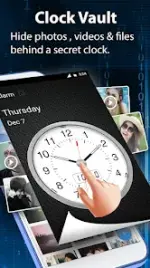


Clock Vault: Hide Photos & Videos (v77.0)
Clock Vault is a privacy utility designed to secure photos, videos, and documents within an encrypted gallery interface disguised as a functional clock. Access is granted via a specific time-based password or biometric authentication.Application Specifications
| Feature | Details |
|---|---|
| Android Version | 7.0 and up |
| Architecture | arm64-v8a, armeabi-v7a |
| Modification | Premium Unlocked, Cleaned, Debug Removed |
| Modder | TRUMods |
Core Features
- Time-Based Security: Conceals files behind a clock interface requiring a secret time password.
- Decoy Vault: Supports a "Fake Password" to open a secondary vault, protecting the primary data under duress.
- Icon Camouflage: Ability to replace the Clock icon with alternatives such as Weather, Music, or Calculator.
- In-App Media Tools: Includes an integrated video player (multi-format support) and a picture viewer with crop and rotate functionality.
- Private Browser: Built-in web browser for downloading and locking media directly to the vault without system traces.
- Biometric Support: Fingerprint unlock integration for compatible devices.
- Album Customization: Options to set custom folder covers and manage gallery assets (Import, Move, Restore).
Operational Instructions
Password Setup:- Launch the application (clock hands default to 00:00).
- Manually move the hour or minute hands to the desired time and press the center button.
- Repeat the time selection and press the center button to confirm.
- Press the center button to reset hands to 00:00.
- Align the hands to the established password position.
- Press the center button to validate.
- Enter 10:10 on the clock face and press the center button to trigger recovery options. This requires a pre-configured recovery profile.
Technical Notes & Data Safety
- Storage: All files are stored locally on the device. No cloud synchronization is provided.
- Uninstallation Warning: Hidden files must be restored to the public gallery before uninstalling the app, factory resetting, or switching devices. Data cannot be recovered once the app is removed.
What's New
| Component | Update Details |
|---|---|
| Video Player | Added Mirror video and Timer features. |
| Image Player | Integrated Crop & Rotate tools. |
| System | General performance and speed optimization. |