PH
PHCarlos2026
Contributor
15.1gb
Autodesk Revit 2027.0.1 Multilingual
Created byYou do not have permission to view the full content of this post. Log in or register now.
Version2027.0.1
License typefull_version
Release DateApril 9, 2026
Languages
Multilingual Spanish Italian Korean German Polish Portuguese Russian French Czech Japanese
Free Download Autodesk Revit for Windows PC. It includes features for architectural design, MEP, structural engineering, and construction. Revit supports a multidisciplinary, collaborative design process.
Autodesk Revit Overview
Revit is the latest step in the continual evolution and development of multidisciplinary BIM, the intelligent model-based process used to plan, design, construct, and manage buildings and infrastructure. Revit supports a multidisciplinary, collaborative design process.
Based on the Building Information Modeling (BIM) technology, the Autodesk Revit software product is designed to design, build, and manage high-quality, energy-efficient buildings. It is a full-featured solution that combines the possibilities of architectural design, engineering systems design, building structures, and construction modeling (Autodesk Revit Architecture, Autodesk Revit MEP, and Autodesk Revit Structure).
This release marks some movement along that path. The road map defines forward-looking themes that guide and prioritize Revit features and functionality development with your input via the Revit Ideas Page.
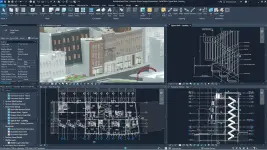
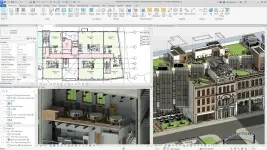
Based on the Building Information Modeling (BIM) technology, the Autodesk Revit software product is designed to design, build, and manage high-quality, energy-efficient buildings. It is a full-featured solution that combines the possibilities of architectural design, engineering systems design, building structures, and construction modeling (Autodesk Revit Architecture, Autodesk Revit MEP, and Autodesk Revit Structure).
This release marks some movement along that path. The road map defines forward-looking themes that guide and prioritize Revit features and functionality development with your input via the Revit Ideas Page.
Features of Autodesk Revit
- Streamline your modeling workflows by working directly in perspective views.
- When you import or link certain items into a model, you can apply tags to these items.
- Use the Split Element tool on structural columns and framing elements
- To ensure that structural connections from this application adhere to the latest standards
- Resize runs of corresponding fabrication parts using the Properties palette or the Edit Parts dialog.
- When using certain automatic fill tools, you can specify fabrication parts to be excluded.
- Easily change the service on MEP fabrication parts in a model using the Properties palette.
- Change a hanger support rod's size (diameter) while maintaining accurate costing data.
- Add or remove a damper or change the fabrication parts supporting built-in dampers.
- Use the Split Element tool and the Split with Gap tool on any fabrication straight.
System Requirements and Technical Details
- Supported OS: Windows 11
- Processor: Intel® or AMD® processor with 2 GHZ or higher base core clock speed.
- RAM: 16GB or more recommended
- Free Hard Disk Space: 40 GB or more recommended


You do not have permission to view the full content of this post. Log in or register now.
pass 123
NOTE!!!
Enjoy while the links are active!!
I am not responsible for broken links!!
Happy downloading!!!!