 PH
PH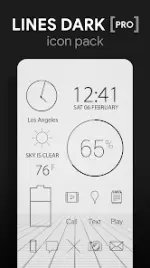
Lines Dark Icons (Pro Version)
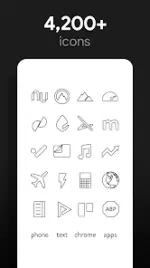
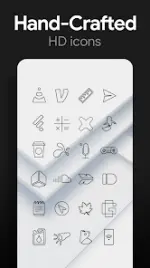
Lines Dark Icons consists of hand-crafted black outlined shapes designed with a transparent center to allow wallpapers to show through. The icons are high-resolution XXXHDPI (192x192) to maintain clarity on high-density displays.Technical Specifications
| Detail | Specification |
|---|---|
| App Version | v3.8.4 [Patched / Premium] |
| Android Version | 6.0 and up |
| Icon Resolution | XXXHDPI (192x192) |
| Total Icons | 4,200+ hand-crafted flat HD icons |
| Wallpapers | 200+ (Cloud-based, Muzei support) |
Included Features
- Icon Variations: Multiple versions for default apps (Phone, Contacts, Camera).
- Transparent Design: Outlined aesthetic designed for light backgrounds.
- Request System: Icon request tool available via the "Request" tab.
- Wallpaper Chooser: Integrated selector featuring scenic, landscape, and classical art.
- Integrated Widgets: Includes Battery, Digital Clock, Analog Clock, and Weather (System and KWGT formats).
Compatibility
Note: A 3rd party launcher is required to apply the icon pack.| Category | Supported Launchers |
|---|---|
| Recommended | Nova Launcher |
| Direct Application | Poco, ADW, Action, Apex, Atom, Aviate, Go, Holo, Inspire, KK, Lucid, Next, Nine, Solo, Smart, Themer, TSF |
| Apply via Settings | Microsoft Launcher, Evie Launcher, Yandex Launcher |
Instructions
Configuration Tips- Manual Editing: Long-press icons in most launchers to edit individual icons manually.
- Widget Issues: If widgets fail to update, exempt the app from battery optimization in system settings.
- Launch the application.
- Navigate to the Apply tab.
- Select the active launcher.
- Long-press an empty area on the home screen.
- Open Personalization/Launcher Settings.
- Select the Lines Dark icon pack.
Version History
- v3.8.4: Bug fixes and premium feature patches.
▸ DOWNLOAD OPTIONS
1. MIRROR
- Primary 1: You do not have permission to view the full content of this post. Log in or register now.
- Mirror 1: Download