 PH
PH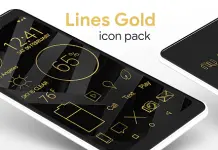
Lines Gold Pro - Icon Pack v3.8.4
Lines Gold Pro is a minimalist, flat, gold-textured outlined icon pack. The icons feature a handmade design with integrated transparency to blend with system backgrounds.App Specifications
| Feature | Details |
|---|---|
| Version | 3.8.4 [Patched] |
| Android Requirement | 6.0 and up |
| Icon Resolution | 192x192 (XXXHDPI) |
| Hex Color Code | #deb550 |
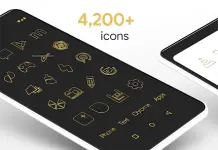
| Total Icons | 4,200+ Handcrafted HD Icons |
| Wallpaper Count | 250+ Color-adjusted Cloud Wallpapers |
Features
- Iconography: Over 4,000 gold-textured variations of default system icons (Phone, Contacts, Camera, etc.).
- Widgets: Includes Analog Clock, Customizable Digital Clock, Battery, and Weather widgets.
- Wallpaper Support: Built-in wallpaper chooser with Muzei support for automated rotation.
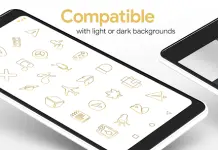
- Design: Transparent elements within icons allow backgrounds to show through; compatible with both light and dark themes.
- Updates: Regular addition of new icons and bug fixes.
Compatibility
A 3rd party launcher is required to apply this icon pack.| Category | Supported Launchers |
|---|---|
| Recommended | Nova Launcher (Supports icon name search) |
| Direct Apply | Poco, ADW, Action, Apex, Atom, Aviate, Go, Holo, Inspire, KK, Lucid, Next, Nine, Solo, Smart, Themer, TSF |
| Apply via Settings | Microsoft Launcher, Evie Launcher, Yandex Launcher |
Implementation Instructions
Applying via Icon Pack Dashboard:- Launch the Lines Gold Pro application.
- Navigate to the Apply tab.
- Select the desired launcher from the list.
- Long-press an empty area on the home screen to open Launcher Settings.
- Select Personalization or Appearance options.
- Locate and select the Lines Gold Pro icon pack.
- Manual Editing: Most launchers allow manual icon replacement via a long-press on individual icons.
- Widget Optimization: If widgets fail to update, exempt the app from battery optimization in system settings.
▸ DOWNLOAD OPTIONS
1. MIRROR
- Primary 1: You do not have permission to view the full content of this post. Log in or register now.
- Mirror 1: Download