 PH
PH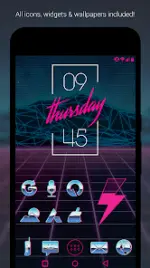
Rad Pack Pro - 80's Theme v3.8.2
Rad Pack Pro is a comprehensive retro-themed customization suite for Android devices, featuring chrome and neon aesthetics inspired by 1980s design.Technical Specifications
| Category | Details |
| Version | v3.8.2 [Patched/Premium] |
| Android Requirement | 6.0 and up |
| Icon Resolution | XXXHDPI (192x192) |
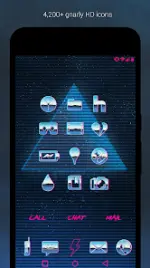
| Total Icons | 4,200+ Hand-crafted chrome and neon HD icons |
| Wallpapers | 50+ Cloud-hosted HD 80's themed wallpapers |
| Format | Pro Version (Full features included) |
Features & Widgets
- Icons: High-definition chrome and neon pink icons with transparency support to blend with backgrounds. Includes multiple variations for system defaults (Phone, Contacts, Camera).
- Icon Request: Integrated "Request" tab for missing icons.
- Wallpaper Support: Built-in wallpaper chooser; includes Muzei support for automated rotation.
- Widgets: * Customizable Rad Clock Widget with diagonal text.
- Analog and Digital clock widgets.
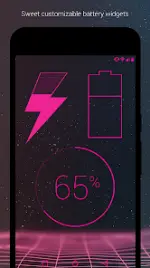
- Battery and Weather widgets.
- Editable KWGT widgets included.
Compatibility
A 3rd party launcher is required to apply the icon pack.| Recommended | Supported Launchers |
| Nova Launcher | Action, ADW, Apex, Atom, Aviate, Evie, Go, Holo, Inspire, KK, Lucid, Microsoft, Next, Nine, Poco, Smart, Solo, Themer, TSF, Yandex |
Installation & Usage
Applying via Icon Pack App:- Open the application after installation.
- Navigate to the Apply tab.
- Select the desired launcher.
- Long-press an empty area on the home screen to open Launcher Settings.
- Navigate to Personalization or Look and Feel.
- Select Rad Pack Pro from the icon pack list.
- Manual Editing: Icons can be manually changed in most launchers by long-pressing the specific icon.
- Widget Updates: If widgets fail to update, exempt the application from system battery optimization settings.
- Search Functionality: Nova Launcher is recommended for icon name search during manual application.
Change Log (v3.8.2)
- New Dashboard: Updated interface for icon browsing and application.
- Expanded Library: Added 65 new icons to the Pro version.
- Transparency: Refined transparent elements for better background integration.