 PH
PH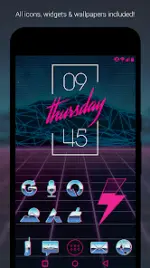
Rad Pack Pro - 80's Theme v3.8.7 [Patched]
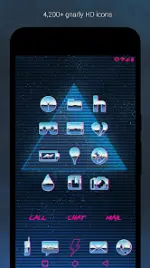
Rad Pack Pro is a comprehensive customization suite designed to provide a retro 1980s aesthetic, featuring chrome and neon pink design elements. This version includes the full set of icons, wallpapers, and widgets optimized for high-resolution displays.Technical Specifications
| Category | Details |
|---|---|
| Version | v3.8.7 [Patched] |
| Android Requirement | 6.0 and up |
| Icon Resolution | XXXHDPI (192x192) |
| Format | Chrome and Neon with transparency |
| Total Icons | 4,200+ Hand-crafted HD icons |
| Wallpapers | 50+ Cloud-hosted HD wallpapers |
| Support | Muzei (rotating wallpapers), KWGT (editable widgets) |
Key Features
- Iconography: High-definition chrome and neon icons designed for large screens. Includes numerous variations for system defaults (Phone, Contacts, Camera).
- Wallpapers: Includes 50+ retro-futuristic, space, and 80's themed backgrounds.
- Icon Request: Integrated "Request" tab for missing icons; regular updates.
- Widgets: * Customizable "Rad Clock" with diagonal text.
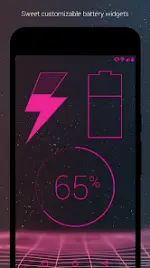
- Battery and Weather widgets.
- Analog and Digital clock variants.
Compatibility
A 3rd party launcher is required to apply the icon pack.| Recommended Launcher | Other Compatible Launchers |
|---|---|
| Nova Launcher | Action, ADW, Apex, Atom, Aviate, Evie, Go, Holo, Inspire, KK, Lucid, Microsoft, Next, Nine, Poco, Smart, Solo, Themer, TSF, Yandex |
Usage Instructions
Applying Icons:- Via App: Open Rad Pack Pro > Navigate to Apply tab > Select Launcher.
- Via Launcher: Open Launcher Settings > Personalization > Select Icon Pack.
- Manual Edit: Long-press individual icons on the home screen to edit manually.
Changelog v3.8.7
- Fixed bugs related to the digital clock widget.
- Implemented link for online icon requests.