 PH
PH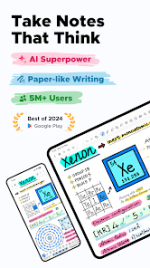
Notewise - AI Notes, PDF, Docs v3.4.9 (Build 34019)
Notewise is a digital note-taking application for Android designed for stylus-driven input and AI-assisted workflows. It features a freeform canvas with low-latency handwriting, advanced PDF annotation, and automated organization tools.Technical Specifications
| Category | Details |
| Version | v3.4.9 b34019 |
| Android Requirement | 8.0+ |
| Core Engine | Pressure-sensitive ink with stroke stabilization and palm rejection |
| Cloud Integration | Real-time sync across Android, iOS, and Web |
| Privacy Model | Encrypted data storage with offline-first functionality |
Key Features
AI and OCR Capabilities- Contextual Interaction: Chat with notes for summaries, Q&A, and guided podcast generation.
- OCR Engine: Supports handwriting and document scanning in 20+ languages.
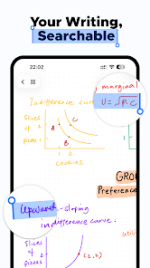
- Searchability: Indexed handwritten text, formulas, and scanned content.
- Contextual Queries: Highlight handwritten or typed text for on-demand AI analysis.
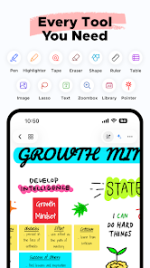
- Primary Tools: Pen, Highlighter, Eraser, Lasso, Tape, Shape Assist, Ruler, and Laser Pointer.
- Content Insertion: Support for Textboxes, Images, Audio Recordings, Tables, and Zoomboxes.
- Note Management: Note linking, tabbed navigation, page rotation, and a recycle bin.
- File System: Unlimited folders and tags with pin and merge functionality.
- Collaboration: Real-time shared notebooks and URL/QR code sharing.
- Export Options: PDF and various image formats with smart file handling.
Recent Updates
- Redesigned adaptive UI layout.
- Added Tape tool for content masking.
- Enhanced shape editing and image tools.
- Integrated audio export functionality.
Modification Details
| Feature | Status |
| Premium Access | Fully Unlocked |
| License Check | Disabled (Resolved crash on record access) |
| Update Check | Disabled |
| Storage | Built-in DocumentsProvider for app data access |
| Limits | Unlimited folders and AI features enabled |