 PH
PH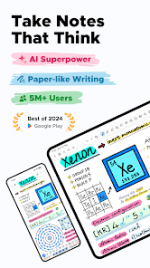
Notewise - AI Notes, PDF, Docs
Notewise is a digital note-taking application designed for stylus-first input on Android, featuring a freeform canvas with integrated AI capabilities and low-latency handwriting performance.Technical Specifications
| Category | Details |
|---|---|
| Version | v3.5.9 b35012 |
| OS Requirement | Android 8.0+ |
| Architecture | Unlimited [NFU] |
| Privacy | Encrypted, offline-first, no data selling |
Core Features
AI Integration
- Chat with Notes: Query, summarize, or review handwritten and PDF content.
- AI Guided Podcast: Converts handwritten notes or PDFs into audio format.
- Magic Select: Circle canvas elements for AI-driven explanations or problem-solving.
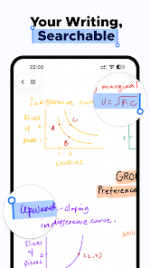
- OCR & Search: Handwriting and document recognition in 20+ languages; makes scribbles searchable.
- AI Assessment: Generation of quizzes from existing notes for exam readiness.
- Visual Processing: AI-powered background removal for images.
Handwriting & Canvas Engine
- Input Performance: Ultra-low-latency writing with palm rejection and pressure sensitivity.
- Stabilization: Stroke stabilization and smart shape assistance.
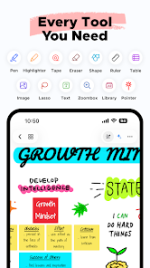
- Canvas Tools: Pen, Highlighter, Eraser, Lasso, Tape, Shape, Textbox, Image, Audio Recorder, Table, Zoombox, Ruler, Laser Pointer, Sticky Notes, Creative Brushes, Stickers.
- Multimedia: Support for Video on Canvas and two-tab viewing modes.
Organization & Synchronization
- File Management: Unlimited folders and tags; pinning, merging, and reordering functions.
- Collaboration: Real-time collaboration in shared notebooks via URL or QR code.
- Cloud Sync: Cross-platform sync (Android, iOS, Web) via Notewise Cloud.
- Export Options: PDF (vectorized text), image formats, and bulk import/export handling.
Modification Features
- Premium Unlocked: Access to Notewise Cloud, AI, OCR, and collaboration tools.
- License Check: Disabled (addresses crashes during record access).
- Update Verification: Automated update checks disabled.
- Data Access: Built-in DocumentsProvider for application data management.
- Enhanced Export: Improved PDF export utilizing vectorized text.
- Storage: Unlimited folders, tags, and sorting options.