 PH
PH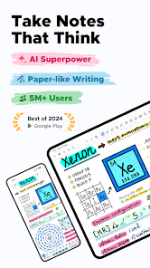
Notewise - AI Notes, PDF, Docs (v3.6.3 b36006)
Notewise is a freeform, low-latency digital note-taking application designed for Android, iOS, and Web. It features an offline-first architecture with automatic cloud synchronization, advanced PDF annotation, and integrated AI capabilities.Application Specifications
| Detail | Specification |
|---|---|
| Current Version | v3.6.3 b36006 |
| Android Compatibility | Android 8.0+ |
| Core Architecture | Offline-first, cross-platform synchronization |
| Licensing Options | Free core features, Premium Subscription, One-time Purchase |
| Mod Modifications | Premium Unlocked; Unlimited folder/tag creation; License check disabled (resolves record-opening crashes); Update checks disabled; Built-in DocumentsProvider for data access; Improved PDF export with vectorized text. |
Key Technical Features
AI Integration & Capabilities
- Contextual Chat: Query, summarize, and review key ideas directly within notebooks.
- AI Guided Podcast: Converts handwritten text or PDF inputs into synthetic audio notes.
- Magic Select: On-canvas lasso selection for automated AI solving and explanations.
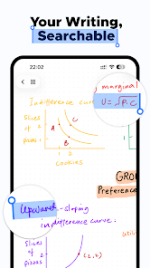
- Multilingual OCR: Extracts text and formulas from handwriting, scanned documents, and images across over 20 languages to enable full-text search.
- AI Diagnostics: Automated background removal for imported images and automated quiz generation for exam preparation.
Digital Ink Engine & Canvas Tools
- Stylus Optimization: Features low-latency tracking, palm rejection, pressure-sensitive pen replication, stroke stabilization, and smart shape assistance.
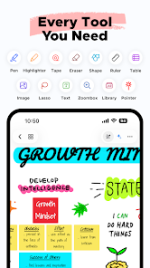
- Comprehensive Toolset: Pen, Highlighter, Eraser, Lasso (including Circle to Lasso gesture), Tape, Shape, Textbox, Image, Audio Recorder, Table, Zoombox, Ruler, Laser Pointer, Sticky Notes, Creative Brushes, and Stickers.
- Media Embeds: Supports Canvas Video insertion (lectures, tutorials) alongside standard image and audio uploads.
Organization, View, & Workflow Options
- Library Management: Nested folders, custom tags, sorting, note pinning, page merging/reordering, and bulk import/export.
- Display Modes: Two-Tab viewing for simultaneous note referencing, alongside horizontal and vertical canvas scrolling options.
- Data Portability: Syncs across Android, iOS, and Web via Notewise Cloud. Sharing protocols include web URLs, QR codes, and vectorized PDF/image exports.