 PH
PH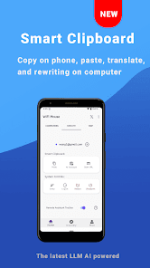

Application Overview: WiFi Mouse Pro
WiFi Mouse transforms an Android device into a wireless mouse, keyboard, trackpad, and remote desktop controller for PC, Mac, or HTPC via a local network connection.Technical Specifications
| Feature | Details |
| Version | 6.0.3 |
| Mod Status | Pro / ρáíd (Bundle) |
| Compatibility | Windows, Mac OSX, Linux (Ubuntu) |
| Connectivity | Local Network (WiFi) |
| UI | Material Design (4 themes including Christmas) |
Functional Capabilities
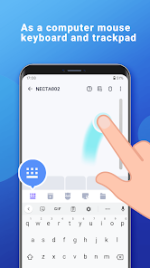
- Input Simulation: Wireless mouse (click/scroll), wireless keyboard (Android system and simulated computer keyboard), and voice-to-text input.
- Trackpad Gestures: Single/double tap, two-finger right click, three-finger drag and drop, and four-finger navigation.
- Application Control: Launch computer applications, control media players, manage internet browsers, and operate presentation software (PPT/Keynote).
- System Management: Remote shutdown, restart, and logout functionality.
- Handwriting Gestures: Custom gestures for window, media player, and presentation management.
Version 6.0.3 Updates
- Smart Scanner: Enhanced speed and precision for barcode scanning.
- Continuous Scan: 1.5-second smart interval for multi-barcode scanning.
- Custom Suffix: Option to auto-add 1 or 2 Enter keys post-scan (Excel/Numbers compatible).
- Focused ROI: Optimized scanning window.
- Privacy: Local-only connection architecture.
Installation Instructions
- Install the latest version of the SAI (Split APK Installer) application.
- Download the provided .apks archive.
- Open SAI, select "Install APKs," and locate the downloaded file to proceed with installation.